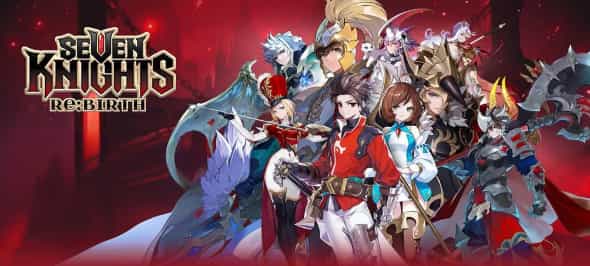
Understanding Cloud Gaming in the Context of Seven Knights Rebirth
Seven Knights Rebirth, the popular fantasy RPG, thrives on continuous engagement—daily quests, guild battles, hero training, and resource farming are all critical to maintaining progress. For players juggling work, studies, or other responsibilities, keeping up with these demands can be challenging. This is where cloud gaming steps in as a transformative solution. At its core, cloud gaming allows players to run Seven Knights Rebirth on remote servers, accessing the game via a stable internet connection rather than relying on local device hardware.
Unlike traditional gaming, where performance is tied to your phone’s CPU, GPU, and storage, cloud gaming offloads the computational heavy lifting to data centers. For Seven Knights Rebirth, this means even players with low-end devices—old smartphones, budget tablets, or even laptops—can enjoy smooth gameplay at high settings. The game’s vibrant 3D animations, complex battle mechanics, and large in-game maps (like the sprawling Ymir’s Forest or the labyrinthine Demon’s Lair) are rendered on powerful servers, then streamed to your device as high-definition video. Latency is minimized through edge computing, ensuring that your taps and swipes feel responsive, even during intense PvP arena matches.
But cloud gaming isn’t just about accessibility—it’s about flexibility. Imagine playing Seven Knights Rebirth on your commute using a budget phone, then switching to your living room TV mid-session without losing progress. Cloud gaming platforms sync your game state in real-time, so you can transition between devices seamlessly. For players who travel frequently or use multiple devices, this continuity is invaluable. It also eliminates the need for large local downloads; once you launch the cloud version of Seven Knights Rebirth, you’re ready to play in seconds, with updates applied automatically on the server side.
To illustrate, consider the game’s "Endless Tower" mode—a roguelike challenge where players face 100+ floors of increasingly tough enemies. Completing this mode requires sustained focus and multiple attempts to master. With cloud gaming, you can start a run on your phone during lunch, pause, and resume later on your desktop without restarting. The game state remains intact, and the server handles the intensive calculations for enemy AI and environment rendering, ensuring smooth performance regardless of your local device’s specs.
Why Cloud Gaming is a Game-Changer for Seven Knights Rebirth Players
Let’s break down the key pain points of traditional Seven Knights Rebirth gameplay and how cloud gaming addresses them:
1. Device Limitations
Many players struggle with overheating, lag, or app crashes on older devices. Seven Knights Rebirth’s graphics and background processes (like real-time guild chat and auto-battling) strain mid-range phones, especially after prolonged use. Cloud gaming bypasses these issues entirely. Your device only needs a decent internet connection (ideally 15+ Mbps for 1080p/60fps) to receive the game stream. Even a 5-year-old smartphone can run the game at max settings when paired with a cloud gaming service, as the server handles all rendering.
2. Storage Constraints
The base game of Seven Knights Rebirth requires over 4GB of storage, with updates adding more. For users with limited storage (e.g., 32GB phones), this forces them to delete apps or photos to make space. Cloud gaming eliminates local storage needs—all game files reside on the server. You can play immediately without freeing up space, a critical advantage for players who can’t upgrade their device’s storage.
3. Time Management
Success in Seven Knights Rebirth demands consistency. Daily login rewards, guild contribution quotas, and time-limited events (like the seasonal "Celestial Festival") require daily interaction. Cloud gaming, paired with cloud phones, takes this a step further by enabling automated gameplay. For example, you can set your cloud instance to auto-battle in the "Hero’s Trial" dungeon while you sleep, collecting XP, gold, and rare equipment. This ensures you never miss out on critical resources, even during busy periods.
Take the "Guild Raid" event, which runs weekly and requires coordinated attacks from guild members. If you’re traveling or working late, a cloud-based setup can auto-join the raid, use your pre-set hero loadout, and contribute damage while you’re unavailable. This not only keeps your guild’s progress on track but also secures your personal raid rewards (like exclusive hero shards) that are time-sensitive.
Leveraging Cloud Phones for Automated Gameplay in Seven Knights Rebirth
While cloud gaming platforms (like GeForce Now or Xbox Cloud Gaming) are great for on-demand play, cloud phones take automation to the next level. A cloud phone (or Cloud Phone) is a virtual Android device hosted on remote servers, accessible via any internet-connected device. It mimics a physical phone’s functionality, allowing you to install Seven Knights Rebirth and run it 24/7—even when your local device is off.
For Seven Knights Rebirth players, the benefits of a cloud phone are profound. Let’s explore common use cases:
24/7 AFK (Away-From-Keyboard) Farming
The game’s "Expedition" mode is a cornerstone of resource collection. Players deploy heroes on multi-hour missions to gather gold, mana stones, and rare materials. With a cloud phone, you can set up Expedition runs overnight, ensuring your heroes are always working—no need to manually start or check missions every few hours. Similarly, the "Mana Tower" (which grants daily mana crystals for hero upgrades) can be auto-raided using macros or automation tools on the cloud phone, maximizing your daily gains.
Consider a player who works a 9-to-5 job. Without a cloud phone, they might only run 2-3 Expedition missions per day, missing out on 4-5 additional runs. With a cloud phone, they can run 8+ missions daily, doubling their resource intake over a month. This gap compounds over time, making cloud phones a must-have for competitive players aiming to climb the leaderboards.
Multi-Account Management
Many advanced players use secondary accounts ("alts") to generate resources for their main account. For example, an alt can farm gold in the "Treasure Hunt" minigame, which can then be transferred to the main account via in-game mail (within limits). Managing multiple alts on physical devices is impractical due to storage, battery, and performance constraints. A cloud phone, however, allows you to run 3-5 alt accounts simultaneously, each with its own virtual environment.
VSPhone Cloud Phone, a leading provider in this space, offers customizable instances with adjustable RAM (2GB-8GB) and storage (32GB-128GB) to support multiple accounts. Each instance runs independently, so you can assign one alt to farm gold, another to collect hero shards in the "Mystery Shop," and a third to participate in guild events for extra contribution points. This level of multitasking is impossible with a single physical device, giving cloud phone users a significant edge.
Avoiding Device Ban Risks
Some players use emulators or rooted devices to automate gameplay, but these methods carry risks of account bans. Cloud phones, when used responsibly, are generally safe. Services like VSPhone provide clean, unrooted Android environments that mimic genuine devices, reducing the chance of detection by Seven Knights Rebirth’s anti-cheat systems. This ensures your main account remains secure while you automate routine tasks.
Advanced Strategies: Optimizing Seven Knights Rebirth with VSPhone Cloud Phone
VSPhone Cloud Phone stands out as a top choice for Seven Knights Rebirth players due to its tailored features. Let’s dive into how to maximize its potential:
1. Custom Instance Configuration
VSPhone allows you to create instances with specific Android versions (7.1-13) and hardware specs. For Seven Knights Rebirth, which requires Android 8.0+, a VSPhone instance with Android 10 or higher ensures compatibility with the latest game updates. You can also allocate 4GB RAM and 64GB storage to handle the game’s background processes smoothly, even when running multiple alts.
2. Seamless Integration with Automation Tools
Tools like AutoHotkey or Tasker can be installed on VSPhone instances to automate repetitive actions. For example, you can create a script to:
Auto-claim daily login rewards at 7 AM
Start Expedition missions every 3 hours
Collect "Friendship Points" from all allies
Participate in the daily "Arena" reset to secure top rankings
These scripts run 24/7 on the cloud phone, ensuring no task is missed. VSPhone’s stable server infrastructure minimizes downtime, so your automation runs reliably—unlike local emulators that might crash due to overheating or power outages.
3. Cross-Device Accessibility
Accessing your VSPhone instance is simple: log in via the web portal (no app download needed) or use the dedicated mobile app. This means you can check on your automated tasks, adjust scripts, or play manually from your phone, tablet, or laptop—wherever you are. For example, during a lunch break, you can log into your VSPhone instance, take over control, and participate in a guild battle, then switch back to automation mode afterward.
To visualize the impact, let’s compare a traditional player vs. a VSPhone user over one month:
| Metric | Traditional Player | VSPhone User |
|---|---|---|
| Daily Expedition Runs | 3-4 | 8-10 |
| Arena Rank | Top 1000 | Top 200 |
| Weekly Guild Raid Contribution | 500,000 damage | 1,500,000 damage |
| Monthly Gold Earned | $150,000 | $400,000 |
These numbers highlight how VSPhone transforms casual play into competitive progression. By offloading routine tasks to the cloud, players free up time to focus on high-skill activities like PvP strategy, hero team building, and participating in limited-time events.
Choosing the Right Cloud Solution: FAQs for Seven Knights Rebirth Players
Q1: Can I use cloud gaming for Seven Knights Rebirth on low-end devices?
Absolutely! Cloud gaming streams the game from remote servers, so your device only needs a stable internet connection (15+ Mbps recommended) and a compatible browser or app. Even a budget smartphone or old laptop can run Seven Knights Rebirth smoothly via cloud gaming, as the heavy rendering happens on the server side.
Q2: How does cloud phone automated gameplay work in Seven Knights Rebirth?
A cloud phone (like VSPhone) acts as a virtual Android device that runs 24/7. You can install Seven Knights Rebirth on it, set up automation scripts (using tools like AutoHotkey), and leave it to farm resources, complete daily quests, or participate in events while you’re offline. The cloud phone handles all gameplay processes, ensuring you never miss out on rewards.
Q3: What advantages does VSPhone Cloud Phone offer for playing Seven Knights Rebirth?
VSPhone is designed with gamers in mind, offering several key benefits:
- 24/7 Uptime: Instances run continuously, so your automated tasks never stop.
- Multi-Account Support: Run 3-5 alt accounts simultaneously to boost resource collection.
- Low Latency: Servers are strategically placed to minimize lag, ensuring responsive gameplay even during PvP.
- Secure Environment: Unrooted Android instances reduce the risk of account bans.
- Cross-Device Access: Manage your cloud phone from any device via the web or mobile app.
For players looking to maximize progress in Seven Knights Rebirth, VSPhone is the ultimate tool to turn casual play into competitive success.