
VAMPIR has just started to play, first familiar with the main line of automatic combat; Near level 45, if the upgrade slows down, it is time to check the battle settings and the open formative play. This article starts with how to deal with the main line jam and takes you to the Canyon challenge, Sefira and the entrance to the exchange. When you need to keep your role,At the end of this article, there is also a way to switch back to view the progress of VSPhone.
In this article, follow the instructions of the real English button. The exchange example includes the Korean authentication page. Please check your client first. The following play entrances need to meet the opening conditions respectively, not all will be unlocked at level 45.
Copy 30s PreviewLook here before you play with VSPhone
If you want the character to continue fighting and use your mobile phone to return messages and check data, you can install the game in VSPhone cloud device and connect it to operate. When selecting equipment, you should correspond to the game version and area service, not just the package name. After purchase, enter the cloud device, install the corresponding client, and log in to your game account.
First, run the main line and look at the task prompt when it gets stuck.
Enter the game to choose the role to play, enter the scene after the first try to move and menu. Find the current task target and use the AUTO on the right. Observe whether the character is finding its way, attacking, or stopping at a location that requires interaction, and confirm the start of advancement before leaving the viewing screen.
If the character is standing still, first look for a new feature Guide or confirmation window. When the branch line needs to be completed first, cut to the corresponding branch line and return to the main line after processing the pre-task. Switching AUTO on and off repeatedly usually doesn't solve these problems.
In the future, when you encounter monsters, you will become stronger, lose blood faster, and then adjust your skills and supplies. The Main Line has a different goal from the ordinary replica, so you don't have to stay in the low-level area because the replica can fight continuously. Let's see if the current main line can continue before arranging other games.
If the main line falls to the ground frequently, change the battle setting first.
When the main monster is already struggling, first reduce the group attack skills that will attract multiple monsters at the same time, and then observe whether a single target can be defeated stably. Change only one item at a time: if the blood volume continues to drop, first replenish the medicine, change the appropriate target or upgrade the role, and then continue to push forward. Don't think of "being able to start an automatic attack" as "being safe to leave".
Akasha Akasha's Full Strength passivity is related to the current blood volume. The figure shows that when HP reaches 80% or more, DMG Boost increases by 12%; When HP reaches 30% or less, it increases by 15%. Low blood volume increase injury does not mean suitable for on-hook pressure blood, death and frequent return to the city will interrupt the progress.
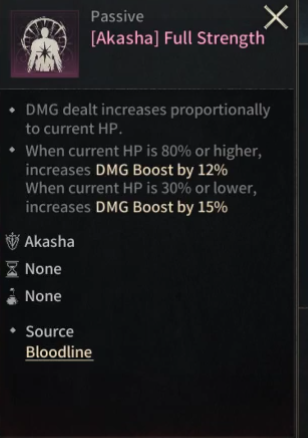
If you have learned this passivity and the client supports adjusting the drug drinking threshold, you can try to set it at about 85%, observe whether the blood volume can be kept above 80%, and pay attention to the drug consumption. If the medicine is consumed too fast or the blood volume is still not enough, change the target that is easy to hit first, and do not copy this value.
Ordinary copies look at the remaining time before the latest record.
Open the Dungeons in the menu, go to Standard Dungeon, select the copy and the opened area. Look at the remaining time first; If Expired and Enter are displayed in gray, process the available time first and do not Enter repeatedly.
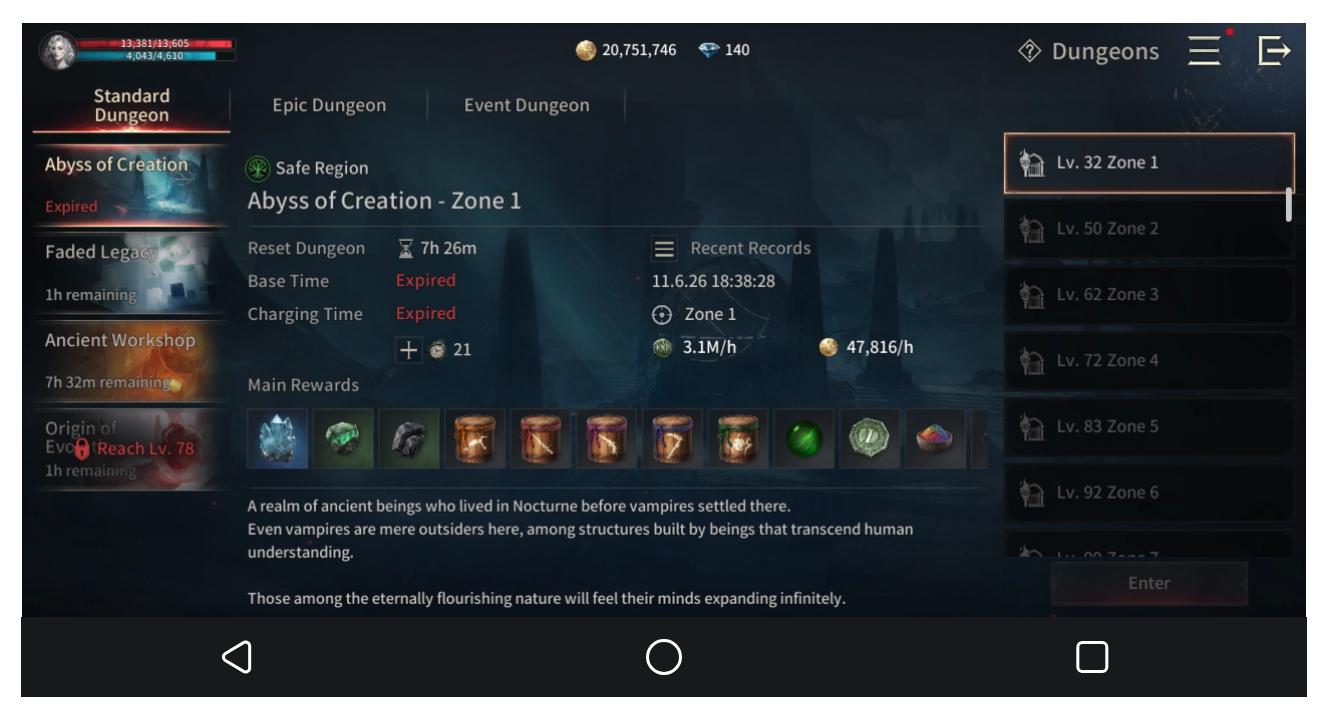
3.1 m/h experience and 47,816/h gold coins belong to the character's recent records and cannot be regarded as fixed income that can be achieved by changing accounts. When choosing a monster, first see if he can survive, and then compare the actual progress of the same role.
The second Canyon has been opened to try the current stage.
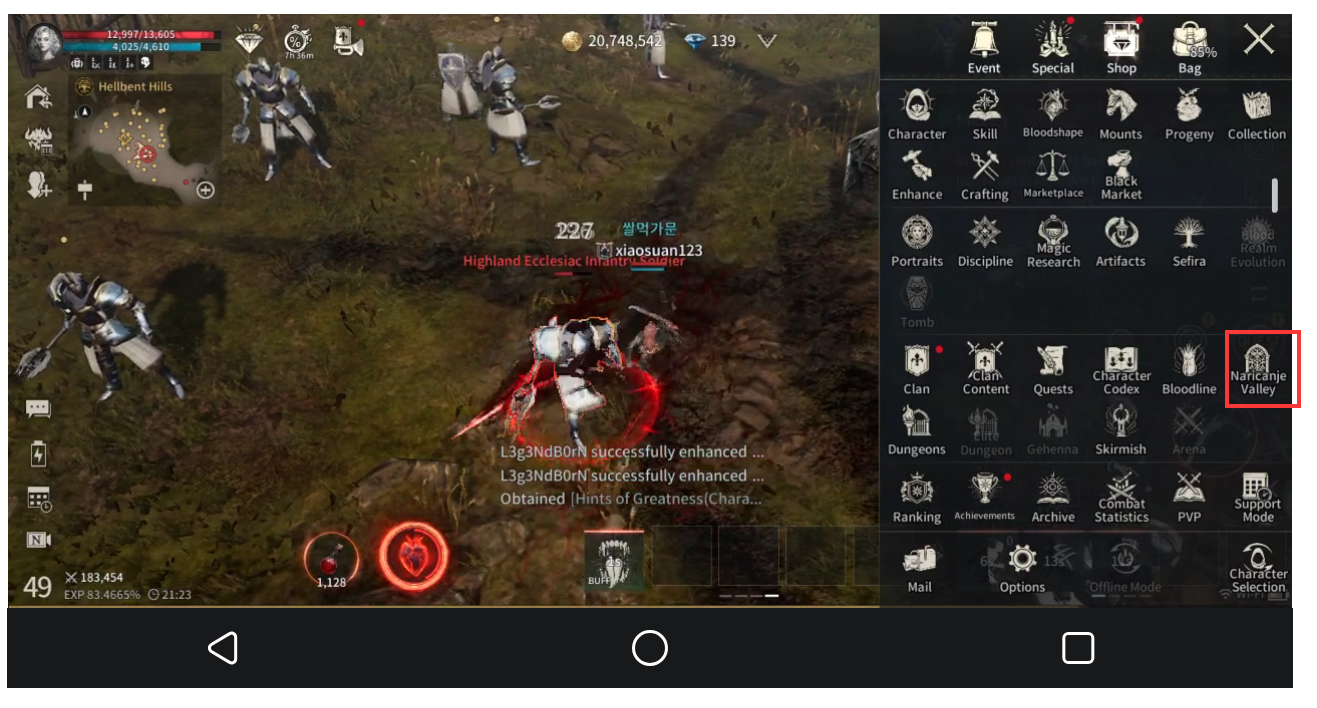
Open the main menu and find Naricanje Valley. If the entrance is not yet open, first check the level or task conditions prompted by the current client. Don't understand "after level 45 strategy" as just reaching level 45 to enter all content.
After entering, select Standard Challenge first, and then click the challenging Stage on the left. On the right side, check Challenge Objective, Skill Limit, Time Limit, and Completion Rewards.Stage 3 in the figure requires defeating a strong enemy with a time limit of 5 minutes and limiting the use of season ranking active skills.
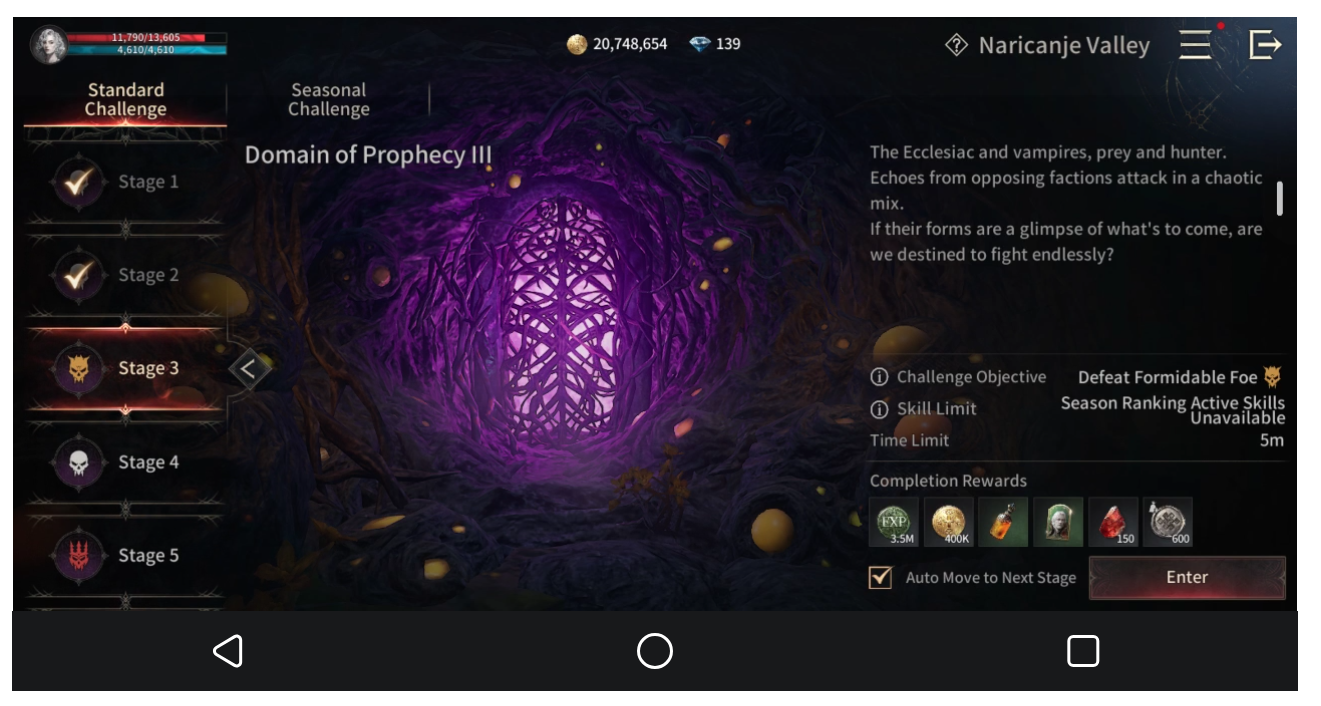
Click Enter when you are ready. Auto Move to Next Stage is checked, indicating that the Next Stage will be automatically moved. If you want to observe the Next Stage, first confirm whether you need to keep this setting. After completing the challenge, check the progress of the stage and the reward results, and then decide whether to continue or strengthen the role first.
_@c3727d44-2a42-4b89-ac5c-5ff4972850a7@_Three Sefira first look at the effective attributes before considering the composition
Find the tree icon Sefira in the main menu and go to Engravings. The right side is holding Sefira, the middle is engraved grouping, and the left side shows the effective effect. Look at what has been installed before deciding whether to replace it. Don't judge whether the color is suitable for the current play.
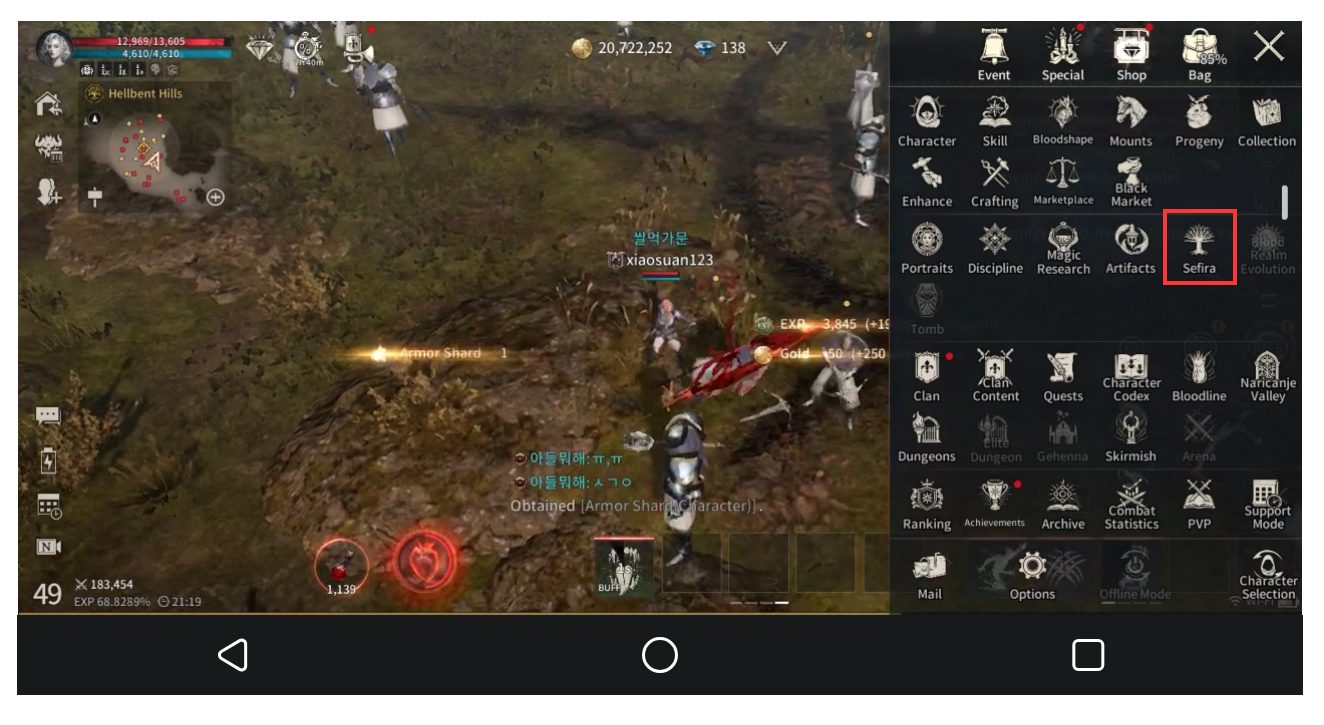
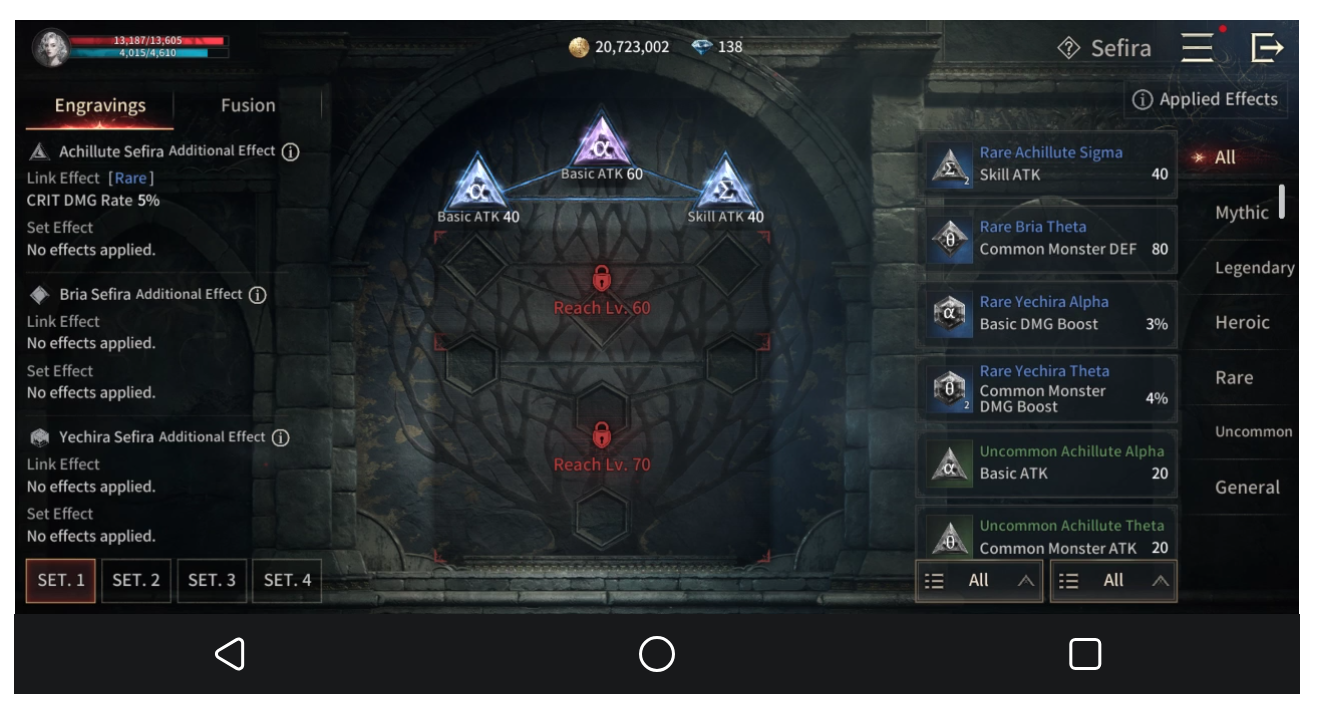
Rules reference Netmarble Sefira description
Leave the Sefira in use before synthesis.
Cut to the Fusion page and confirm whether the materials are sufficient first. There are four material positions in the figure, and the page prompts that the Insufficient materials for fusion,Fusion button is not enabled; At this time, the composition has not been completed.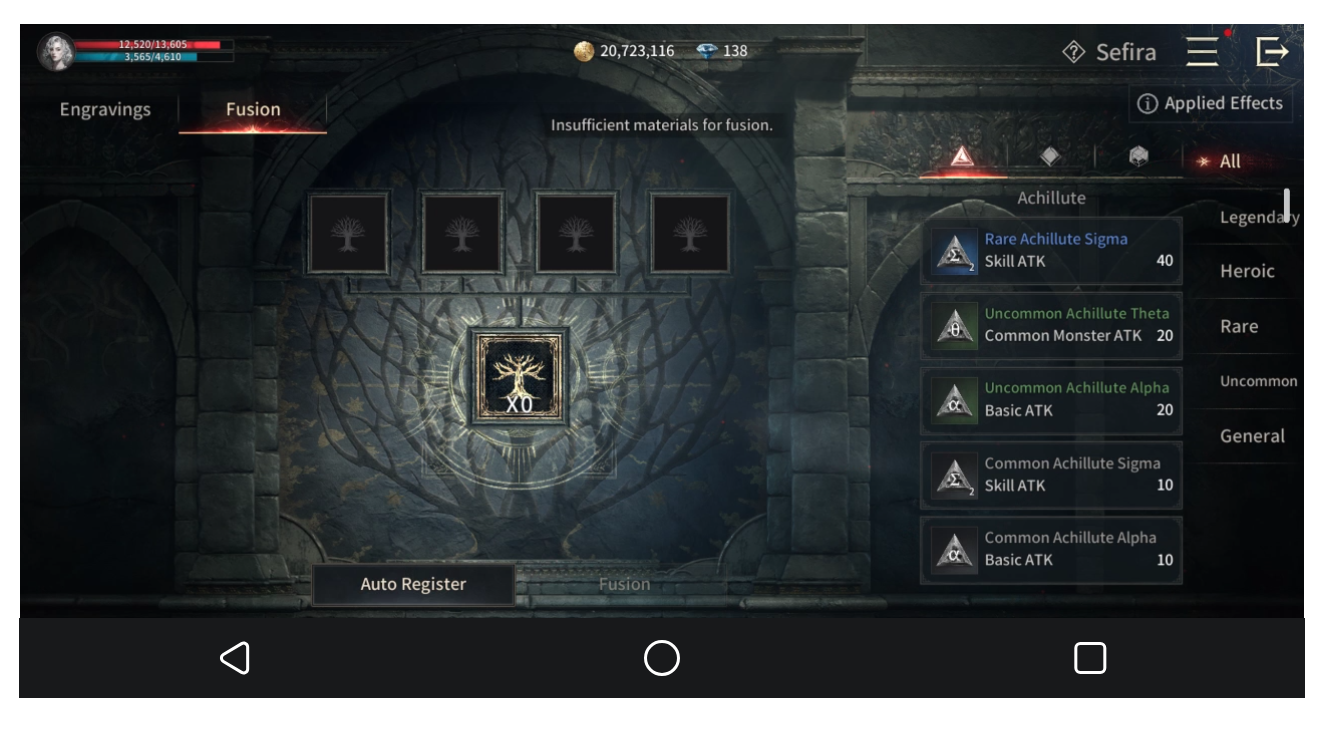
Composition involves material consumption. The currently required attribute combination is retained, and then the material conditions and result descriptions in the client are viewed. Officially, it is unengraved Sephira that can be used for synthesis. Don't tear down the combination in use in pursuit of higher rarity only to find that there is no substitute.
Four 45 level want to sell drop first check certification
If you are ready to sell after level 45, you can first check whether the exchange has opened the right to sell. Accreditation is also required to use the exchange. Open the Marketplace in the main menu and cut to Sell. Only items that meet the trading conditions can be used for sale; If there are items in the backpack, it does not mean that all of them can be put on the shelves.
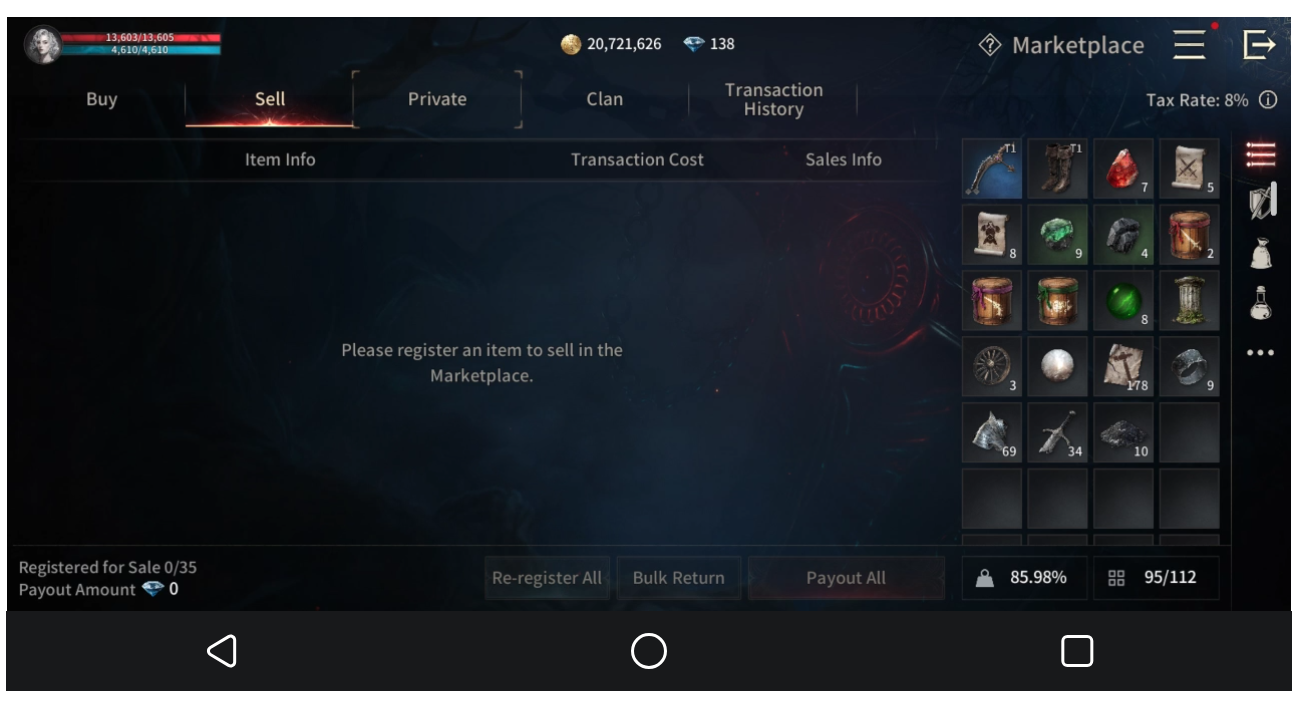
Confirm expenses before selling. The figure shows the current interface value, and it is not guaranteed that other areas will remain the same after service or later. Registered sale does not mean that it has been sold, nor does it mean that it can be exchanged for real currency.
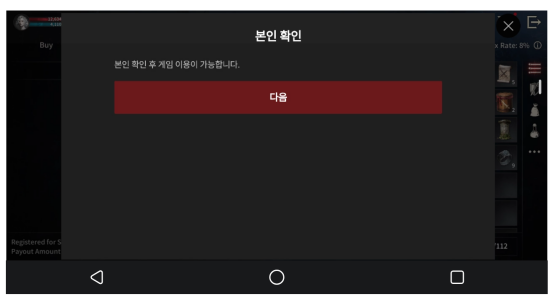
When a certification prompt appears, complete the official requirements first.
If my confirmation window pops up, the Red Button "" in the figure indicates the next step. After entering, the authentication method will be displayed: mobile phone authentication, Toss authentication. According to their own conditions in the official process to complete, do not have the certification conditions, first continue the main line and role development,Do not sell goods as a prerequisite for the current upgrade.
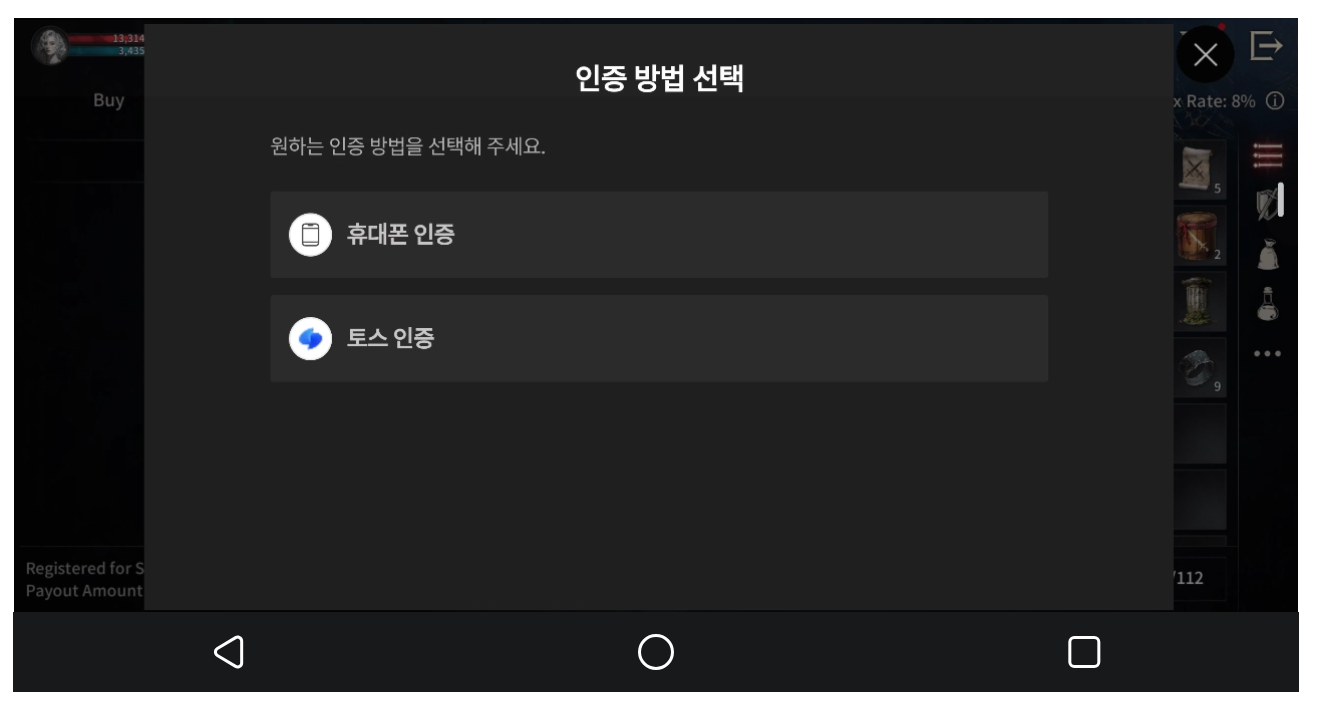
After the certification is completed, return to Sell, select eligible items, check the quantity, selling price and cost; After completing the registration, check whether the item appears in the list. The Transaction situation depends on Transaction History, and "registered" cannot be used instead of "sold".
Rules reference Netmarble Marketplace description
Five games continue to play mobile phones as usual
The character has been able to fight the current monster steadily, so he can temporarily return his attention to his own affairs. Run VAMPIR in VSPhone, the machine cuts to reply to messages or open web pages, and then return to the same cloud device to view roles. The automatic battles are provided by the game itself and do not require a separate third-party script to be run for the operation of this article.
Before leaving, deal with the pop-up window, write down the current task and experience progress, and check the dosage. Then return to the local desktop and open the other applications you want to use. Do not exit VAMPIR from the cloud device or close the cloud device. When you come back, open VSPhone and enter the equipment just now to see if the character is still fighting and the task has stopped,Reconcile experience and supplies.
What is saved here is the time that mobile phones have been occupied by games. Moving to the cloud will not increase the experience or drop rate, and the benefits will still depend on the rules of the game, the role and the tasks done. In case of new function guidance, branch line front or death, you still need to come back to deal with it. The game online does not mean that the main line must continue to advance.
If you want to separate the on-hook machine from the daily machine, you can start with a cloud device and select the package and duration according to the previous tested configuration. After confirming that the corresponding version and configuration are available, enter the role, check AUTO and replenishment, and then start your own on-hook process. There are use problems, you can also seek help through the official Discord VSPhone.Check out your VSPhone plan and get started
Next time online, continue in this order
First deal with the stuck Main Line and supplies, and then check the current Canyon stage that can be passed; Sefira looks at the attribute combination when it has new materials, and then processes the certification and price when it is ready to sell items. The upgrade route does not have to be fixed as "how long it will last every day", but depends on what the character can accomplish and what he actually gets.