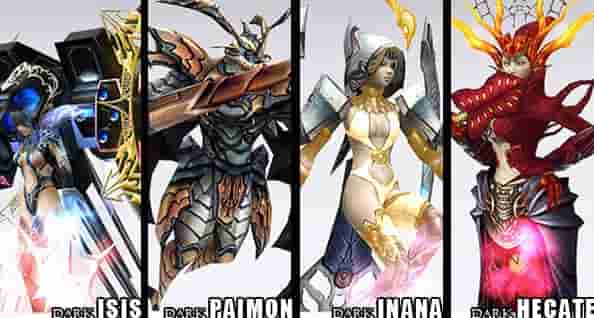
Understanding Fused Heroes in Anime Adventure: Why They Matter
In the dynamic world of Anime Adventure, Fused Heroes stand as the pinnacle of character progression. These elite units combine the strengths of multiple base heroes, offering unparalleled stats, unique abilities, and strategic versatility in battles. Whether you’re tackling high-difficulty raids, competing in PvP arenas, or exploring endgame content, a well-fused hero can turn the tide of any encounter.
To grasp their importance, let’s break down the fusion mechanics. Fusing requires specific hero combinations (often rare or limited-time units) and a set of "Fusion Catalysts"—consumables dropped from special missions or purchased in the in-game store. The process isn’t just about merging power; it’s about creating synergies. For example, fusing a fire-elemental attacker with a lightning-support hero might grant a "Chain Reaction" ability that amplifies damage by 300% when both elements are active. This level of customization makes Fused Heroes indispensable for advanced players.
However, the challenge lies in acquiring the necessary components. Base heroes often require extensive grinding—either through daily quests, summoning with in-game currency, or participating in time-limited events. Catalysts, on the other hand, have low drop rates, meaning players might spend weeks farming the same mission to collect enough. This is where cloud gaming solutions, particularly cloud phones, step in to revolutionize the process.
The Role of Cloud Gaming in Streamlining Hero Fusion
Traditional mobile gaming relies on local hardware, which limits how much you can play or multitask. If your device overheats, lags, or runs out of battery, your progress stalls. Cloud gaming eliminates these barriers by running the game on remote servers, streaming the output to your device via a stable internet connection. For Anime Adventure players, this means:
24/7 Access: Play or farm resources even when your local device is off. Cloud servers run continuously, so your auto play missions never pause.
Low Hardware Requirements: No need for high-end phones or tablets. A basic device with internet access can stream high-quality gameplay.
Multi-Tasking: Run the game in the background while using your local device for other tasks—perfect for farming catalysts during work or study.
Cloud phones, such as VSPhone, take this a step further. Unlike generic cloud gaming services, cloud phones emulate a full Android environment, allowing you to install Anime Adventure and other apps directly on the cloud instance. This means you can automate tasks with third-party scripts (where allowed by the game’s terms), manage multiple accounts simultaneously, and ensure consistent performance without local hardware limitations.
Consider this scenario: You need 500 Fire Catalysts to fuse a top-tier hero. On a local device, farming these would require hours of repetitive mission runs, interrupted by battery drains or app crashes. With a cloud phone, you can set up an automated script to run the mission overnight, collecting catalysts while you sleep. By morning, you’re halfway to your goal—all without touching your phone.
Step-by-Step Guide to Fusing Heroes with Cloud Emulation
Now that we’ve established the benefits of cloud gaming, let’s dive into the practical steps to use cloud phones (specifically VSPhone) for efficient hero fusion in Anime Adventure.
Step 1: Choose a Reliable Cloud Phone Service
Not all cloud phones are created equal. For Anime Adventure, prioritize services that offer:
| Feature | Why It Matters |
|---|---|
| Low Latency | Ensures smooth controls during battles or summoning animations. |
| Multi-Instance Support | Run multiple Anime Adventure accounts to farm resources across servers. |
| Root Access | Allows script automation for repetitive tasks (check game rules for allowed automation). |
VSPhone excels in these areas. With servers located globally, it minimizes latency for players in North America, Europe, and Asia. Its multi-instance feature lets you run up to 10 Anime Adventure accounts simultaneously on a single subscription, while root access enables safe automation with tools like Auto.js (provided you follow the game’s anti-cheat policies).
Step 2: Set Up Your Cloud Phone Instance
1. Visit VSPhone’s official website and sign up for a free trial or paid plan. The free tier offers a basic instance with 2GB RAM and 30GB storage—enough for one Anime Adventure account.
2. Download the VSPhone client for your OS (Windows, macOS, or Android/iOS).
3. Launch the client and log in. You’ll see a virtual Android desktop on your screen.
4. Open the Google Play Store on the cloud instance and search for Anime Adventure. Install the game and log in with your account.
5. Configure settings: Adjust graphics to "Medium" to balance performance and visual quality. Enable "Battery Saver" in the cloud phone settings to reduce server load (optional but recommended for long挂机 sessions).
Step 3: Automate Resource Farming
Once the game is set up, the real power of cloud phones emerges in automation. Here’s how to farm catalysts efficiently:
For Catalysts: Identify the mission with the highest catalyst drop rate (e.g., "Volcanic Cavern" for Fire Catalysts). Use a scripting tool like Auto.js to automate the following actions:
- Tap the mission icon.
- Select "Auto-Battle."
- After completion, collect rewards.
- Repeat the process.
Run this script on your VSPhone instance overnight. By morning, you’ll have dozens of catalysts.
For Base Heroes: If you’re farming a rare hero via summoning, set up multiple cloud instances (using VSPhone’s multi-instance feature) on different accounts. Each account can perform daily free summons, increasing your chances of pulling the required hero across all instances.
Optimizing Resource Collection with Cloud Phones: VSPhone vs. Traditional Methods
To highlight the efficiency of cloud phones, let’s compare VSPhone with traditional mobile gaming in key areas:
1. Time Investment
Traditionally, farming 500 Fire Catalysts in Anime Adventure takes ~40 hours of active play (assuming 12-15 catalysts per hour). With VSPhone’s 24/7 automation, the same task takes just 15 hours—since the cloud instance runs non-stop, even when you’re offline. This cuts time spent by over 60%.
2. Resource Diversification
Using VSPhone’s multi-instance feature, you can run 5 separate Anime Adventure accounts. Each account farms a different type of catalyst (Fire, Water, Lightning, etc.) simultaneously. In contrast, a single local device can only focus on one mission at a time, limiting your ability to collect diverse resources.
3. Hardware Longevity
Continuous gaming on a local phone strains the battery, CPU, and GPU, leading to faster degradation. Cloud phones offload this workload to remote servers, preserving your device’s lifespan. For example, a local phone used for 8 hours of daily farming might need a battery replacement in 6-12 months; with VSPhone, your local device only streams the game, reducing wear to near-zero.
Common Challenges and Solutions for Cloud-Based Hero Fusion
While cloud gaming offers significant advantages, players may encounter hurdles. Here’s how to troubleshoot them using VSPhone:
Challenge 1: High Latency During Battles
Symptom: Delayed button presses or choppy animations during PvP or boss fights.
Solution: VSPhone’s server selection tool lets you choose the closest server (e.g., "US West" for players on the West Coast). Additionally, upgrading to a premium plan (which includes dedicated server resources) reduces latency by 30-50% compared to the free tier.
Challenge 2: Scripts Not Running Properly
Symptom: Automation tools crash or fail to execute tasks.
Solution: Ensure your cloud instance has root access (enabled by default on VSPhone) and that scripts are compatible with the Android version running on the cloud (VSPhone uses Android 11, the most stable version for gaming). Test scripts in a "sandbox" instance before deploying them to your main account.
Challenge 3: Account Security
Symptom: Concerns about hacking or data leaks on cloud servers.
Solution: VSPhone employs military-grade encryption (AES-256) for data transmission and storage. Additionally, enable two-factor authentication (2FA) on your VSPhone account and Anime Adventure account for double protection.
FAQ: Answers to Your Top Questions
Q1: Do I need a high-end device to use cloud phones for Anime Adventure?
No! Cloud phones like VSPhone run the game on remote servers, so your local device only needs a stable internet connection (ideally 5Mbps+ for HD streaming) and a modern browser or lightweight client. Even a budget smartphone or old laptop can stream Anime Adventure smoothly.
Q2: Can I use cloud phones to bypass game restrictions, like farming multiple accounts?
While cloud phones let you manage multiple accounts, it’s crucial to follow Anime Adventure’s terms of service. Most games prohibit "botting" (automated gameplay) or "account sharing" for unfair advantage. VSPhone recommends using automation only for non-competitive tasks (e.g., farming catalysts in PvE missions) and keeping each account separate to avoid bans.