


VSPhone Device Purchase Guide (Buy / Renew Page FAQ)
Welcome to our device selection guide! This FAQ will help you navigate the "Buy/New" page and make an informed decision based on your gaming needs, region, and cloning requirements. Let's dive into each section to ensure you choose the right device.
1. Buying a New Device – Buy Section
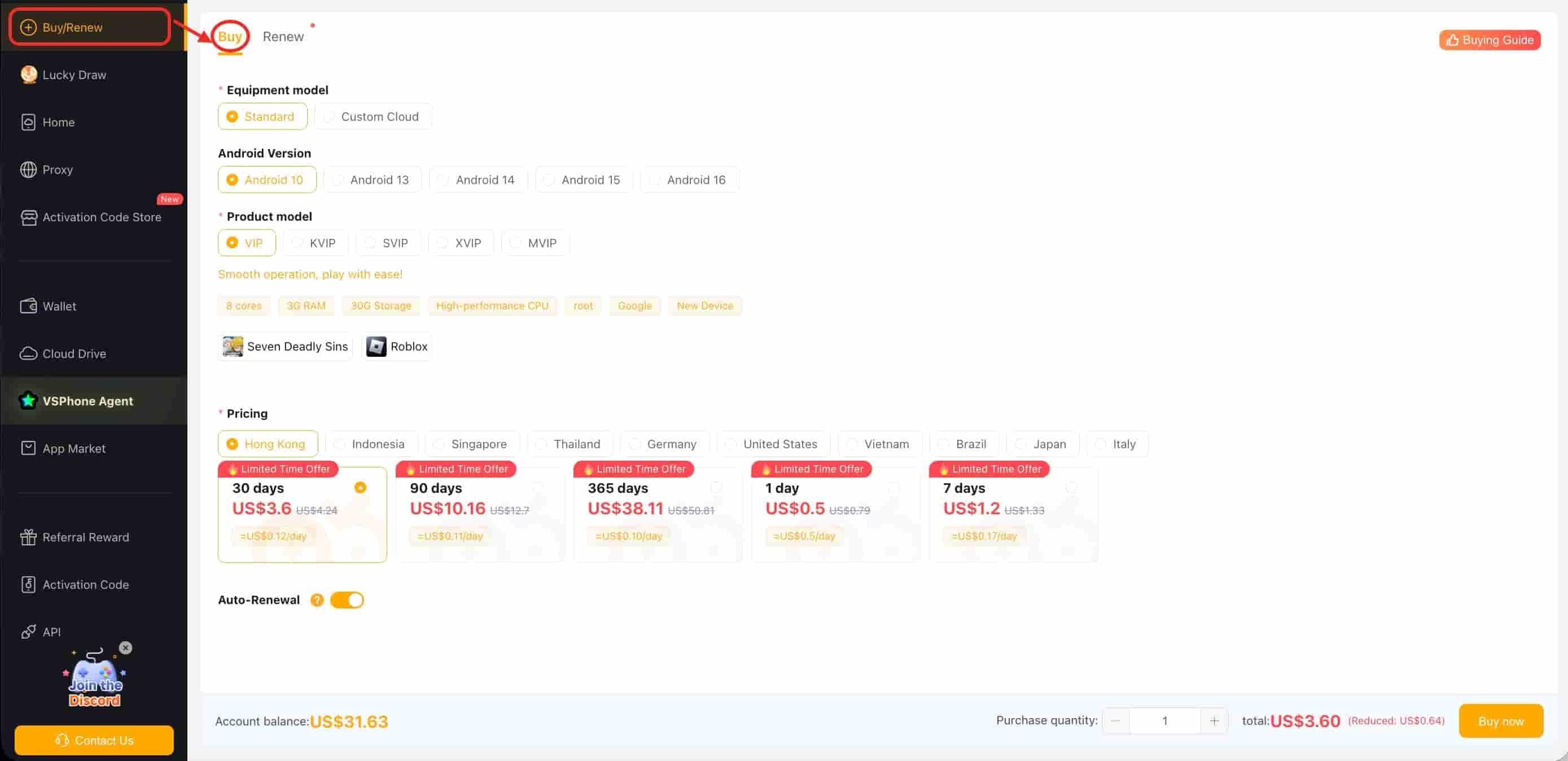
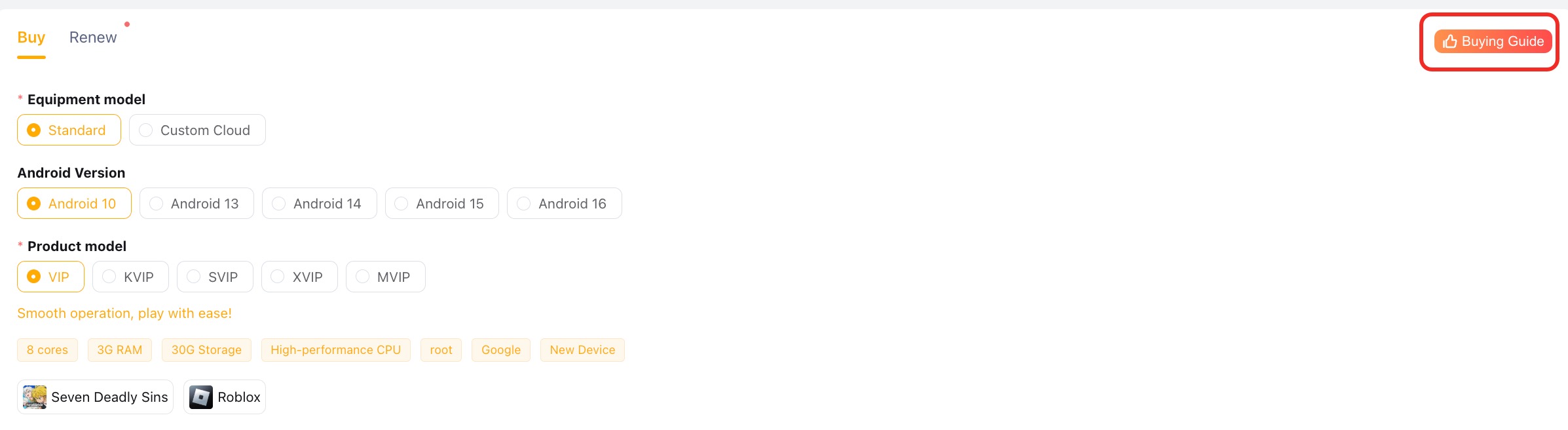
Equipment model: Standard Model vs. Custom Cloud Device
Standard Model: Pre-configured devices that come with fixed Android versions (10, 13, 14, 15, 16) and specific models (VIP, KVIP, SVIP, XVIP, MVIP).
Custom Cloud Device: Tailored for specific games, offering flexible configurations hosted on cloud servers for high-performance gaming.
Android Version & Product model
Android Version: Android 10 / 13 / 14 / 15 / 16.
Product Model:
VIP: 8 cores, 3G RAM, 30G Storage.
KVIP: 8 cores, 4G RAM, 64G Storage.
SVIP: 8 cores, 5.3G RAM, 64G Storage.
XVIP: 8 cores, 8G RAM, 128G Storage.
MVIP: 8 cores, 16G RAM, 200G Storage.
Pricing
Server Region: Select the server closest to you for the best connection, or choose a specific region for certain games (e.g., US, Germany, Japan).
Playtime Duration: Choose how long you want to use the device.
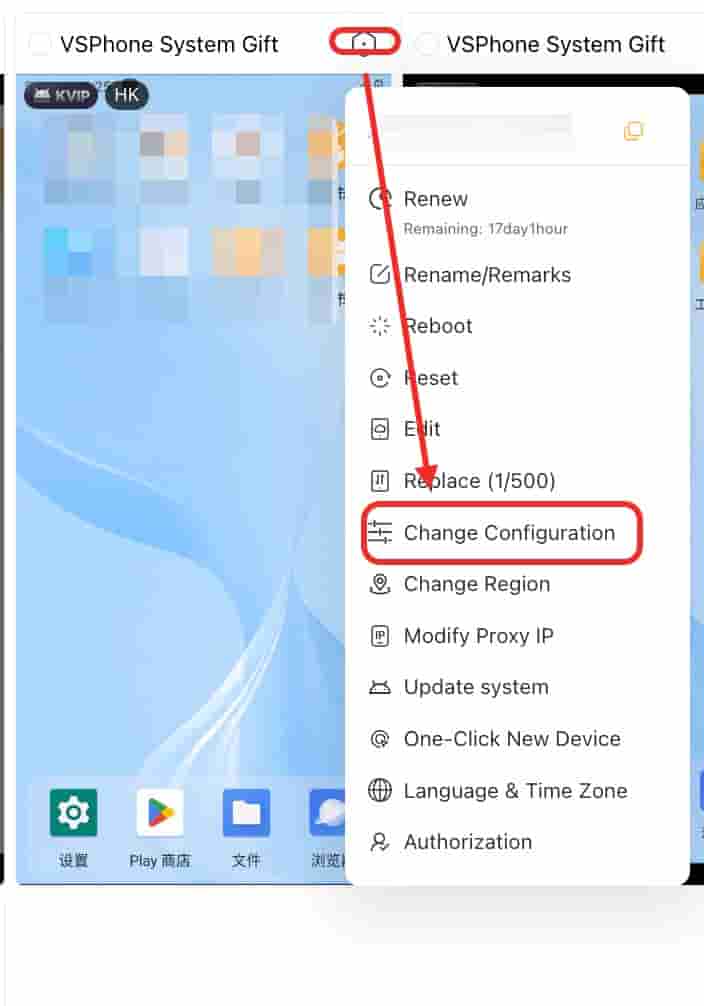
After purchase, all the above settings can be modified and adjusted for specific devices on the Home page, so there's no need to worry about making the wrong choice.
2. Renewing Your Device – Renew Section
How to Renew
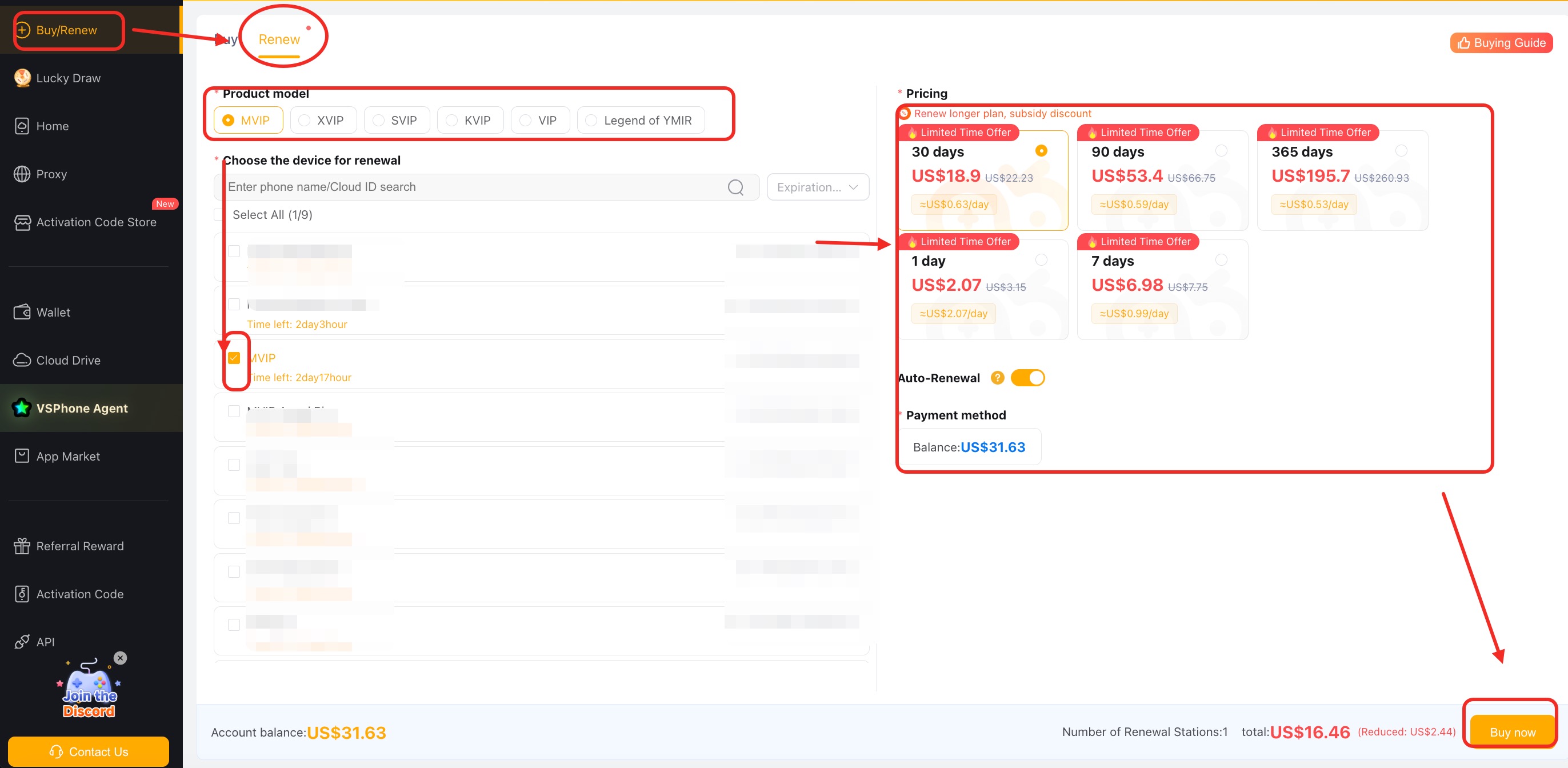
Choose Your Device: Select the device you want to renew.
Select Playtime: Pick the duration for your renewal.
Checkout: Complete the renewal process.
Buying Guide
Access the Guide: Click on the Buying Guide in the top-right corner.
Select Your Game: Choose your game, and the system will recommend devices that are optimized for that game.
Clone and Script Options: Decide if you need a clone device or specific scripts for the game.
3. Game-Specific Device Recommendations
In the top-right corner of the page, you’ll find a Buying Guide. This guide helps you choose the ideal device based on the specific game you want to play. Here's how it works:
Choose Your Game: Click on the Buying Guide and select the game you want to play. The system will filter devices that are optimized for that game.
Cloning and Script Option: You’ll also have the option to select whether you need a clone device and if you require the script to run. If you're playing a game that requires a specific region or customized features, the system will suggest devices with those capabilities.
After making your selections based on requirements, recommended devices will automatically appear. Clicking “Confirm” will automatically redirect you to the purchase page for the recommended devices.
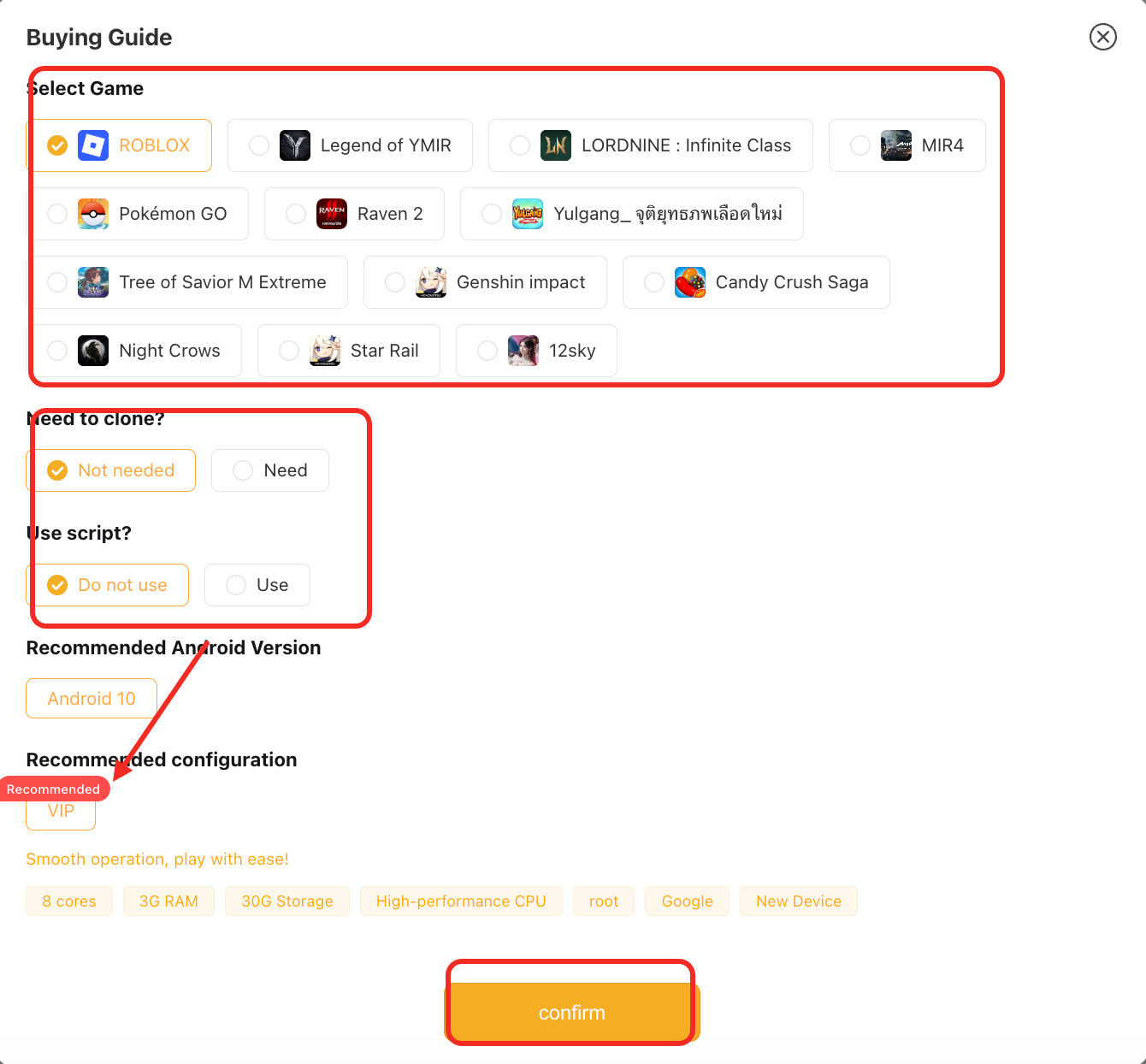
Here are some game-specific recommended devices:
| Game | Recommended Devices | Clone Devices Available |
|---|---|---|
| Roblox | VIP | 0 clones |
| KVIP | 1 clones | |
| SVIP | 2-3 clones | |
| XVIP | 4-6 clone | |
| MVIP | 7 clone | |
MIR4, Tree of Savior M Extreme, Yulgang, 12 SKYM... | SVIP | |
| Legend of YMIR, LORDNINE, Pokemon Go, Raven 2, Genshin Impact... | XVIP |
4. Payment and Flexibility
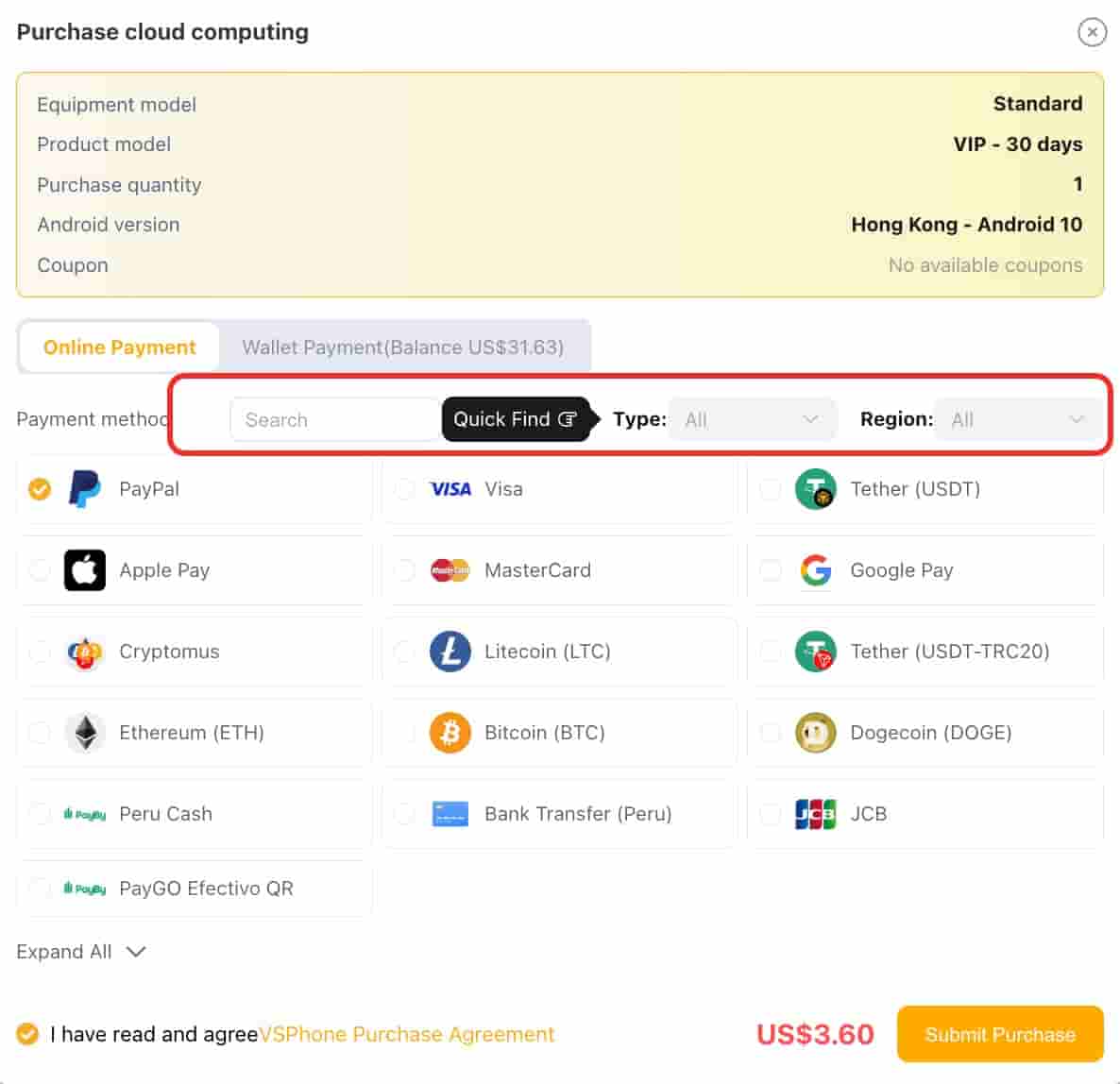
Payment Methods: We support nearly all payment methods. You can search directly or select by payment type to quickly find your preferred option.
Equipment settings: After purchase, all the above settings can be modified and adjusted for specific devices on the Home page, so there's no need to worry about making the wrong choice.