


How to use split screen and cloning tutorial
1. Open the app you want to use in split-screen mode.
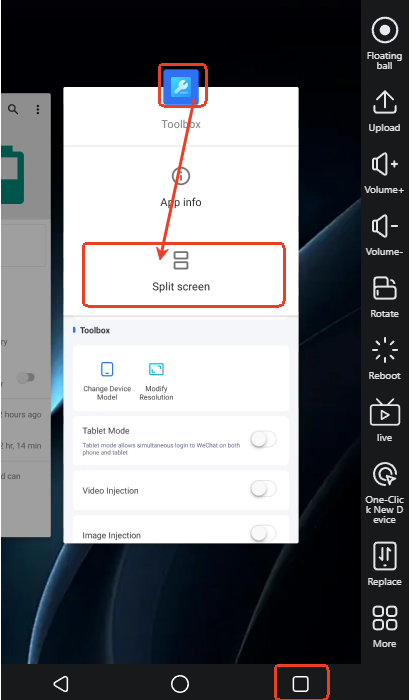
2. After opening the app, switch to the multi-window view on the taskbar, long-press the app icon you want to split -> select "Split Screen".
Note: New devices may require a 24-hour wait to unlock this feature. Alternatively, you can consider using SSH to set it up:
How to clone an app?
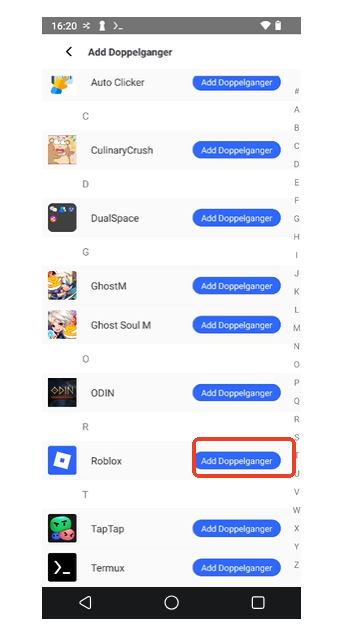
1. Download the VS Cloner app from the App Store. Open it; it will display a list of apps on your device (if the list is empty).
2. Grant root access to the Termux app in the Toolbox.
3. After granting root access, be sure to restart your cloud device. Finally, click the app you want to clone.