



How to Replace / Swap Cloud Phone
Swap device or change device means free to change a new device with the same configuration and difference device ID. Every user have 500 chances to swap device everyday.
VSPhone - Web/ PC
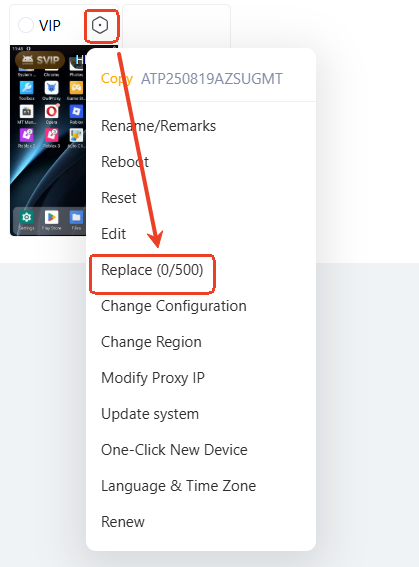
Right click or click the gear icon of the target device, and select Replace(0/500).
VSPhone - Android
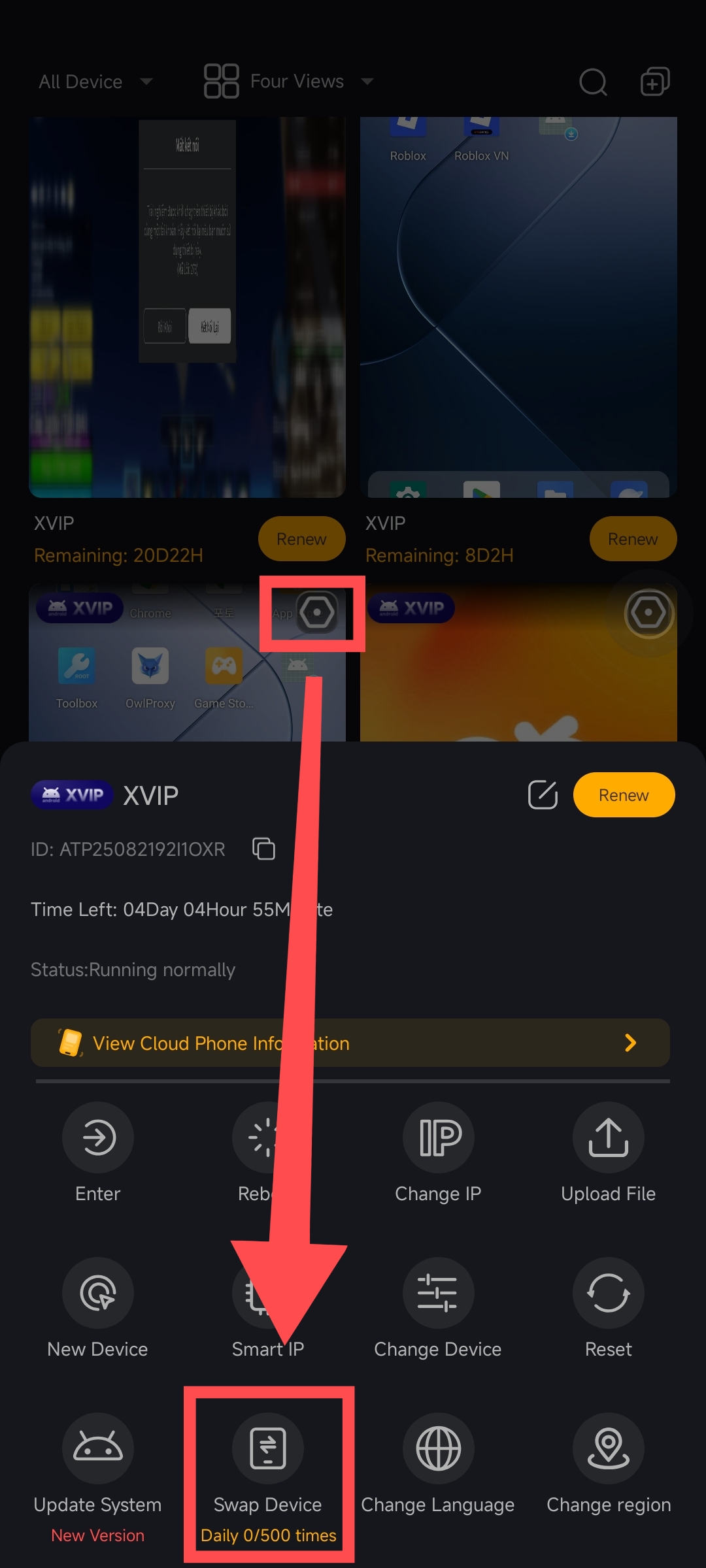
Tap the gear icon, and select Swap Device (0/500)