



How to Split Screen?
1.Open the app that you want to use in split-screen mode.
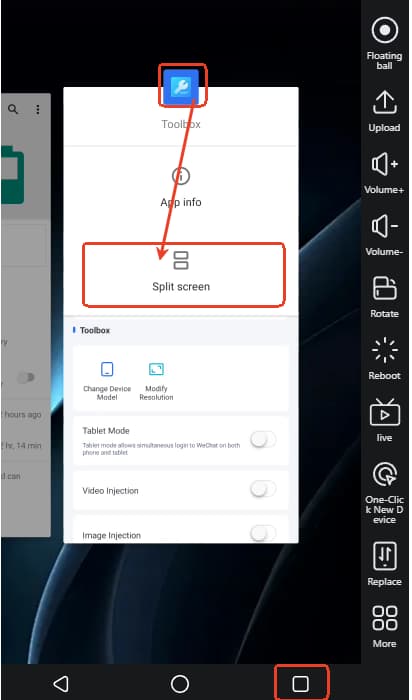
2.After opening the app, switch to the taskbar multi-window view, long-press the app icon you want to split-> select Split screen.
Note: New device should wait 24 hours then can unlock this feature.