



How to Purchase an IP Proxy and Bind It to a Cloud Phone?
1. Purchase an IP Proxy
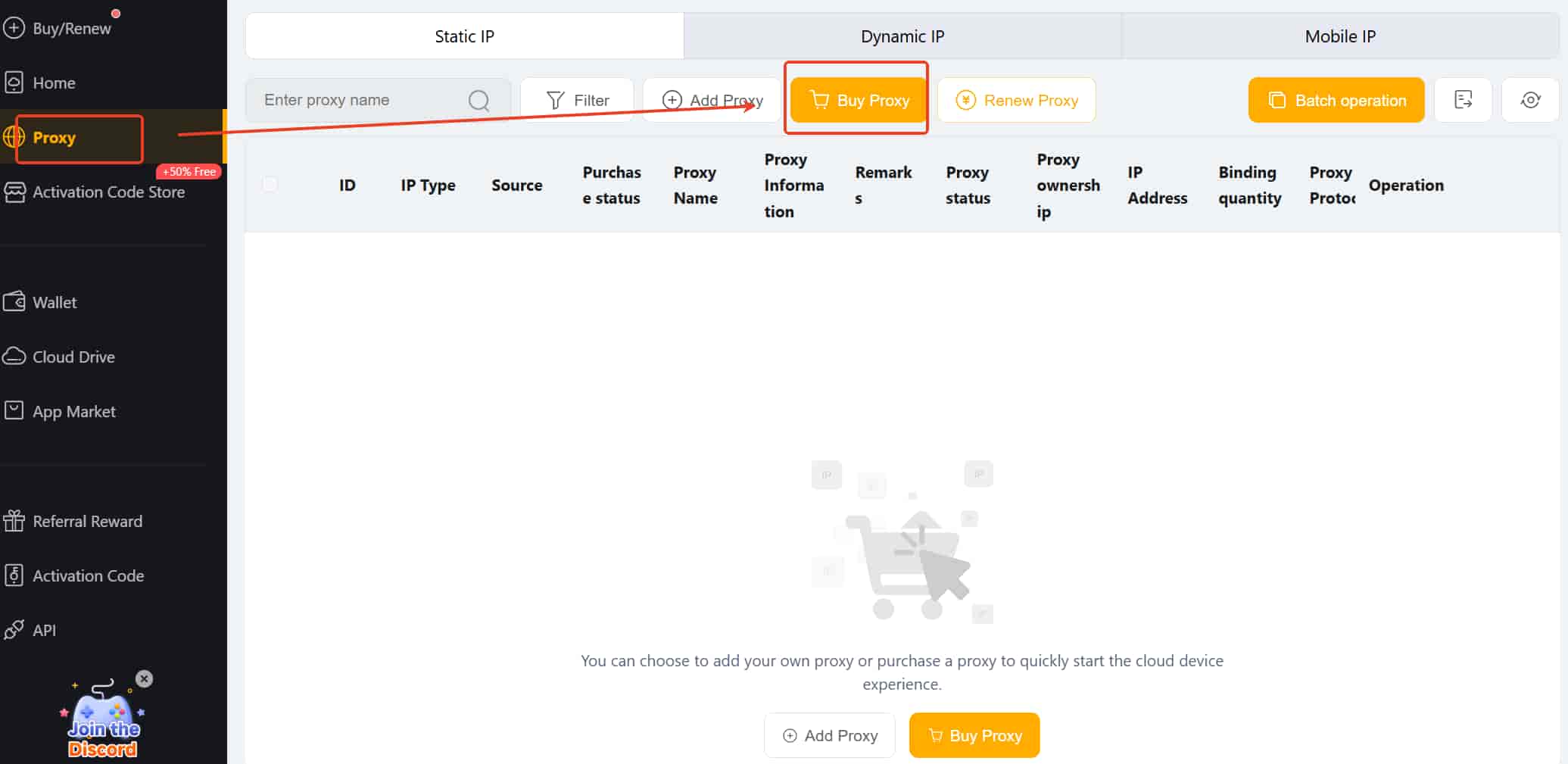
Go to the “Proxy” page, click “Buy Proxy”, and ensure your wallet has sufficient balance.
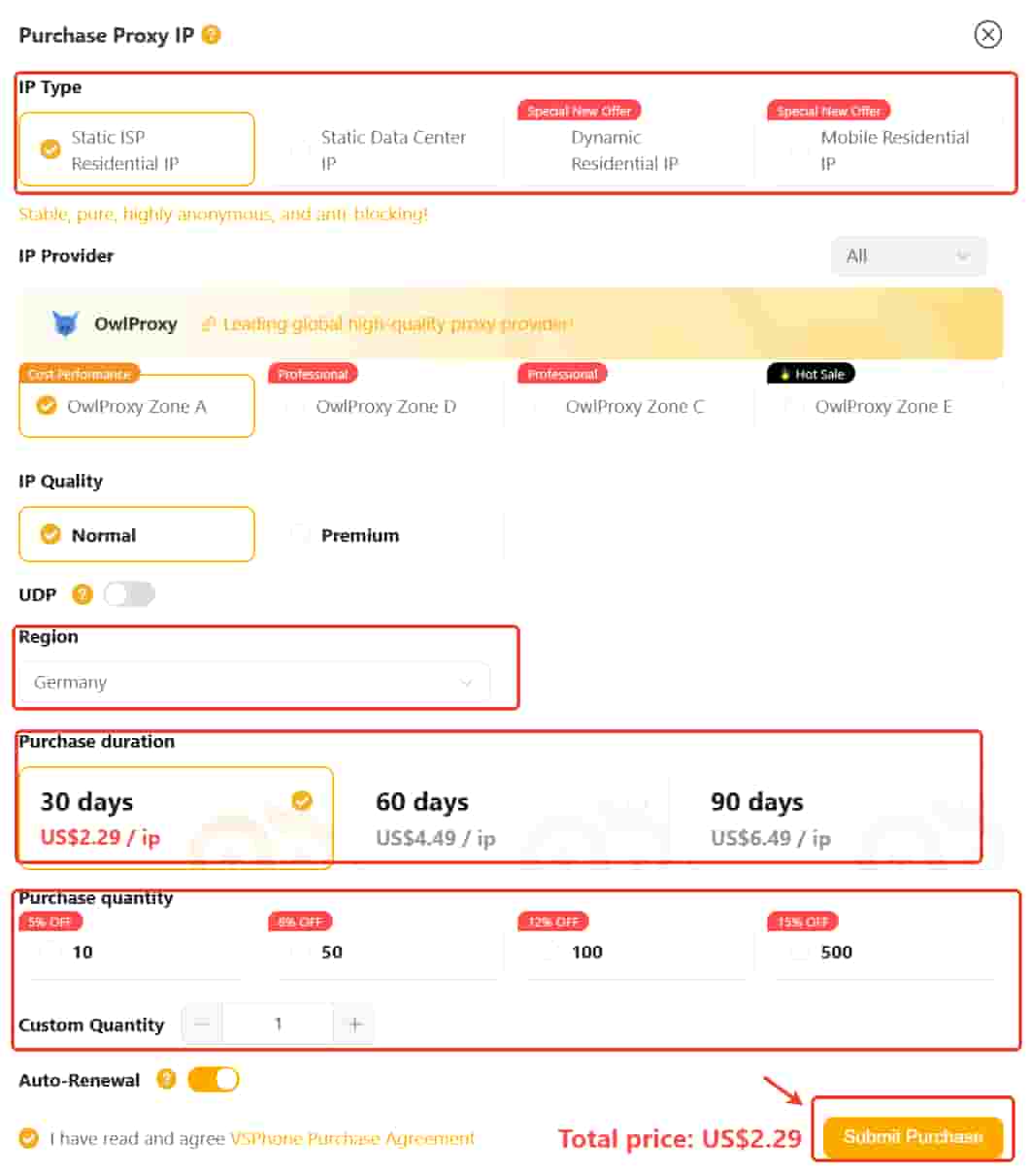
b. Available IP types and features:
Static ISP Residential IP: Fixed home broadband IP, stable, appears as a regular home user.
Static Data Center IP: Fixed IP from a data center, fast and highly reliable.
Dynamic Residential IP: Real private IP that rotates dynamically for each request, accessing the web via real users rather than data centers.
Mobile Residential IP: IPs provided via 4G/5G mobile networks from carriers (e.g., China Mobile, AT&T, Vodafone), highly authentic with low ban rates, suitable for high IP risk-control scenarios.
Notice: These four types of IP Proxies cover over 200 countries and regions worldwide. Static IPs are billed by days, while dynamic IPs are billed by traffic.
c. Purchase process:
Select IP Type → Choose Region → Choose Purchase duration/ Purchase package→ Choose or input Quantity → Tick Read and agree to the VSPhone Purchase Agreement → Click Submit.
2. Bind an IP Proxy to a Cloud Phone
Method 1: Bind via "Proxy" Page
Go to the Proxy page and select your purchased IP Proxy type.
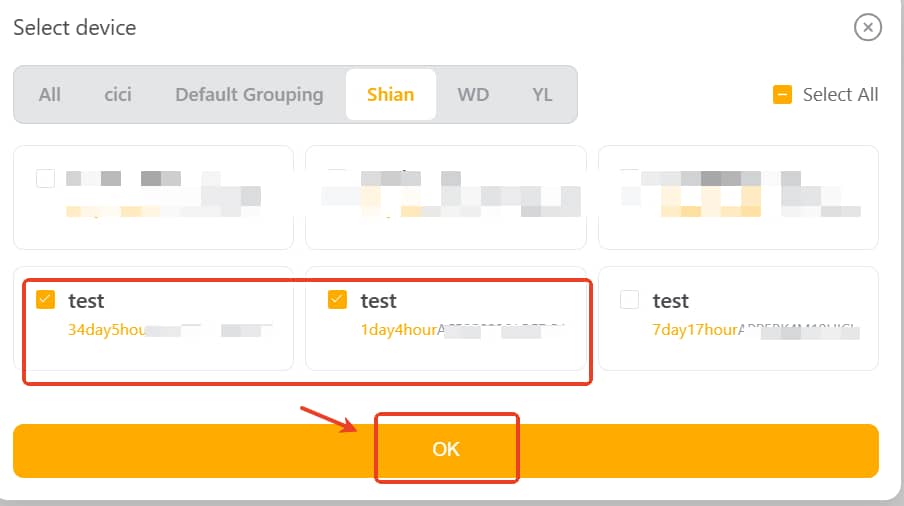
Click Bind, select the cloud phone device, then click OK.
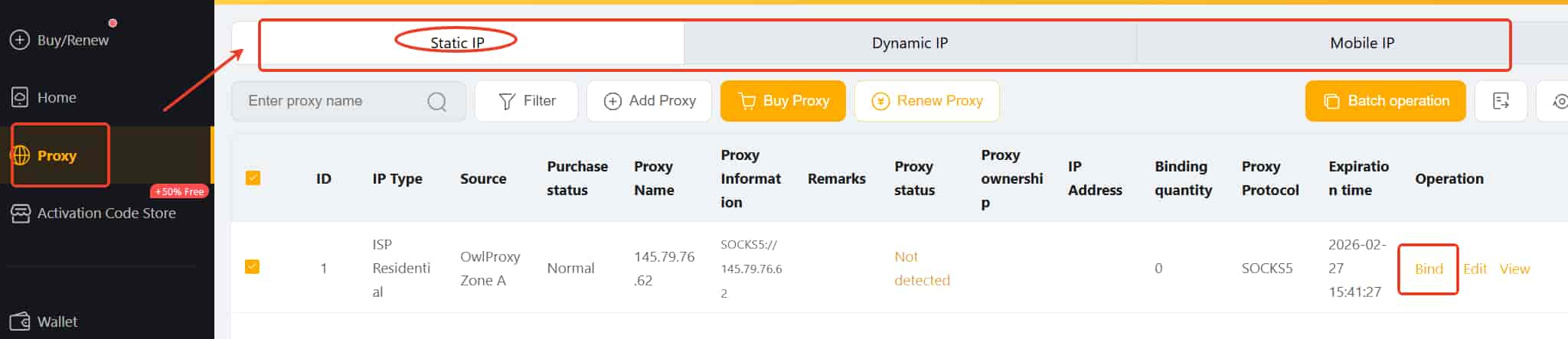
Or click Batch operation, select the devices or all of one group, to batch bind the IP Proxy to multiple devices at once.
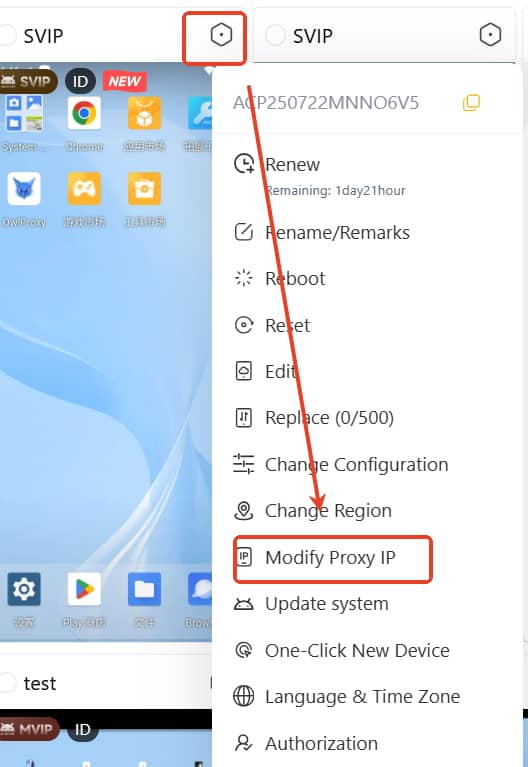
Method 2: Bind via “Home”Page
Go to “Home”page, click the settings icon on the device → Modify Proxy IP.
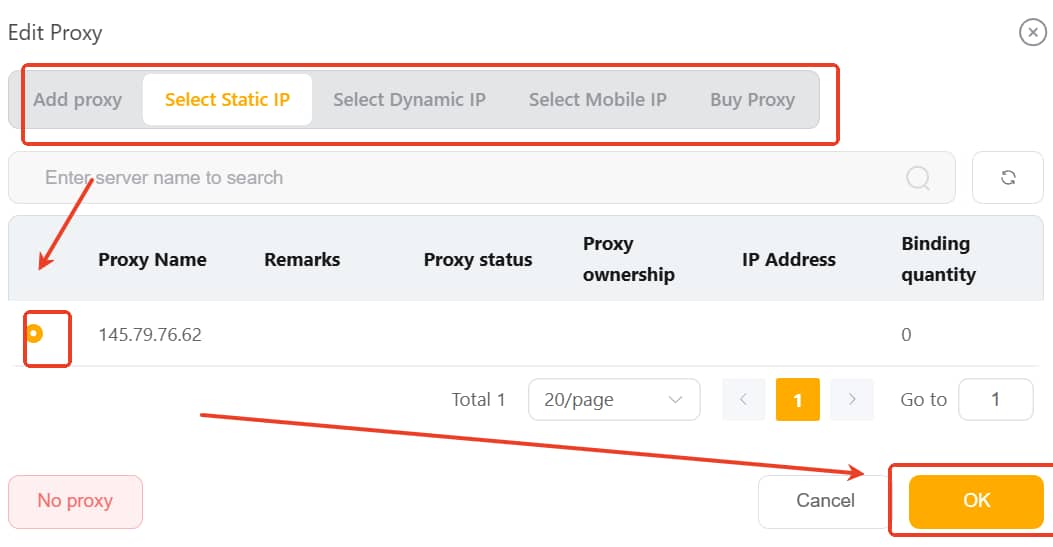
b. Choose the IP Proxy to assign and confirm.
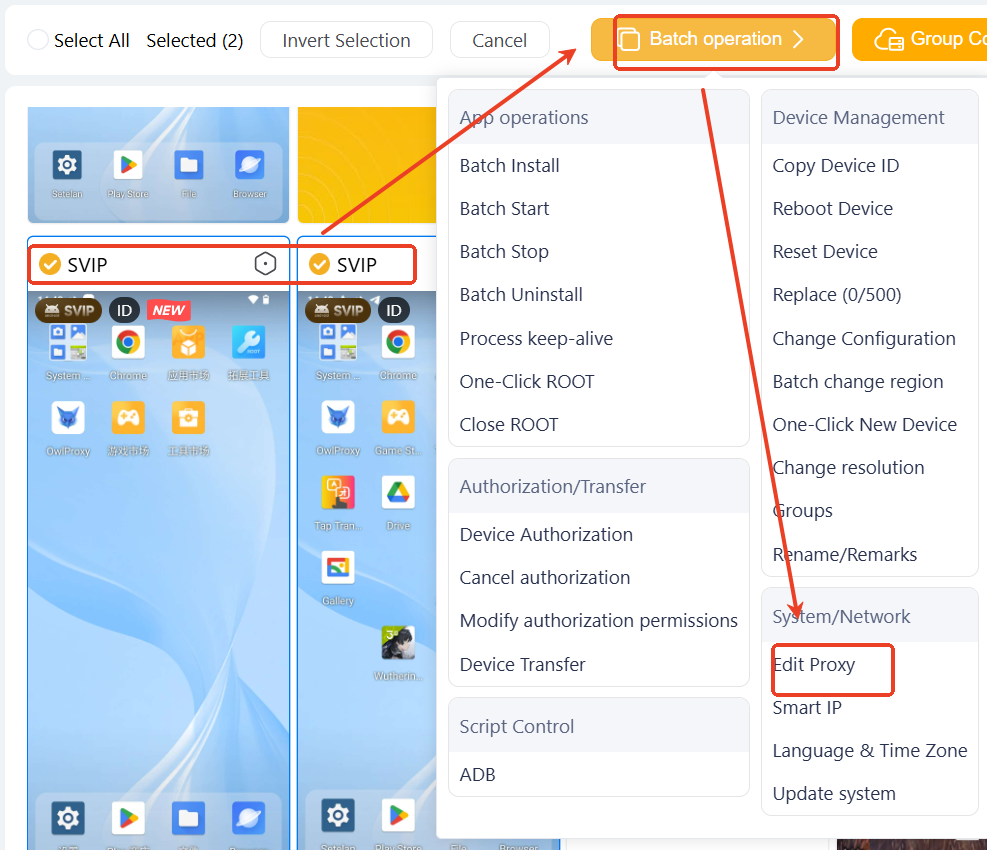
c. For batch operation: select multiple devices → Click Batch Operation → Edit Proxy → Choose the IP Proxy → Submit to apply in bulk.