




How to play Garden Horizons using VSPhone
Introduction to the Game
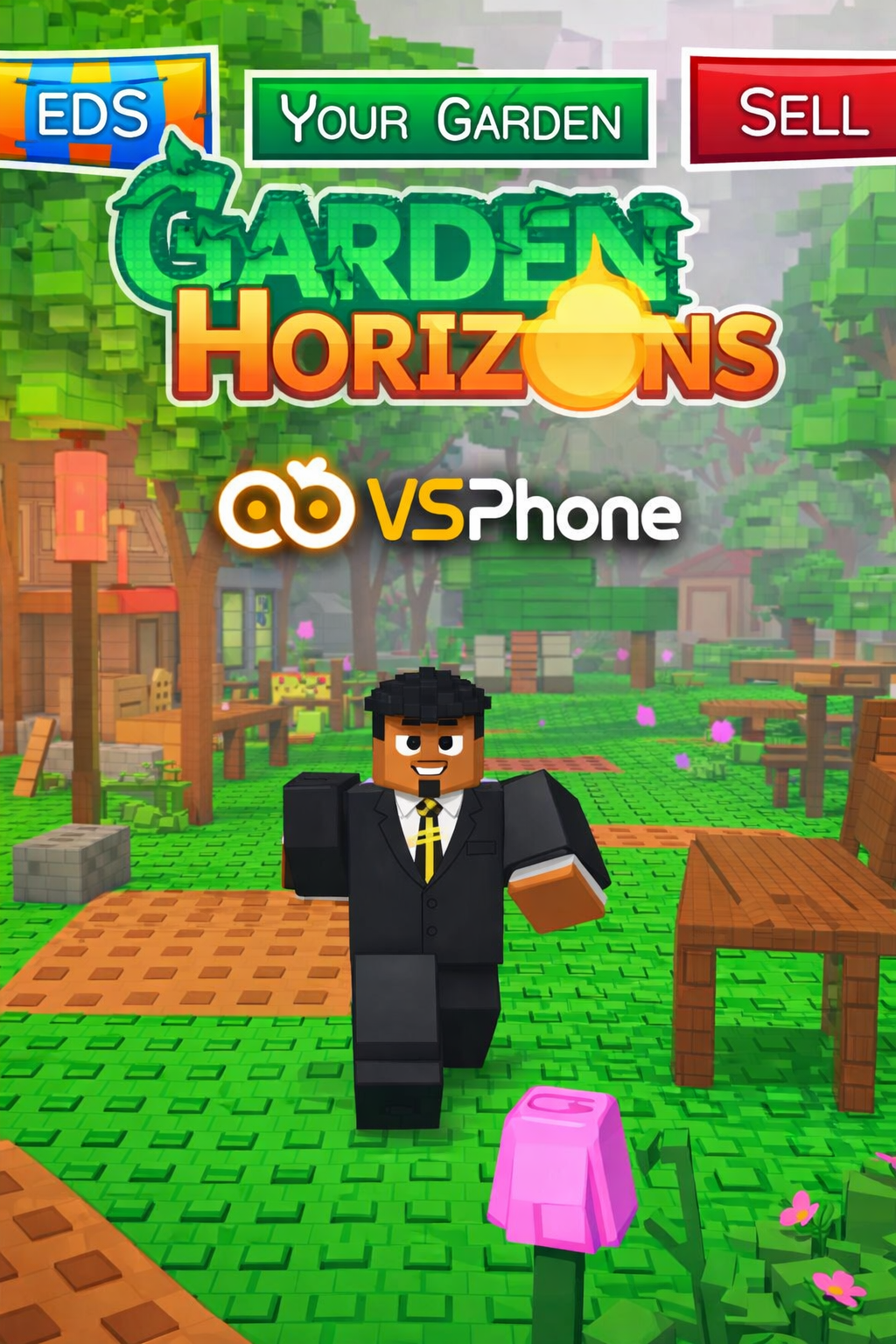
Garden Horizons is a popular gardening simulation game on the Roblox platform. In this game, players can create, manage, and decorate their own gardens, experiencing the joy of close contact with nature. It's a widely popular gardening simulation and management game. In this game, you will design and manage your own garden, take care of plants and animals, and interact with other players. This article will delve into how to play Garden Horizons using the VSPhone cloud phone platform and showcase the efficient and smooth experience it provides.
1. Game Overview
The core gameplay of Garden Horizons is simple and easy to understand, suitable for players of all levels:
Planting Flowers: Use various seeds and tools to grow plants and earn money at any time.
Land Construction: Place items in your base and decorate your garden area, expanding it by earning money.
Upgrades and Improvements: Use virtual currency and money to continuously upgrade planting tools, improving planting efficiency.
Missions and Progression: As the game progresses, players will unlock more plants and decorations and participate in various fun activities and challenges.
Casual and Creative: Like other Roblox simulation games, Garden Horizons offers a relaxing and creative environment, ideal for players who enjoy building and managing.
The game's success relies on long-term garden management and careful planning, and VSPhone provides perfect hardware and system support to ensure a smooth gaming experience.
2. Game Highlights
According to the official website, when playing Garden Horizons on VSPhone, players can benefit from the following advantages:
Device Selection and Optimization: Garden Horizons requires powerful device performance to run smoothly. VSPhone provides cloud phones with efficient configurations, perfectly rendering the game’s beautiful graphics and avoiding any lag.
Stable Connection and Low Latency: With VSPhone cloud phones, you will enjoy a high-speed, low-latency network experience, ensuring smooth gameplay with no interruptions, providing endless fun.
Performance Advantages:
Leveraging VSPhone’s high-efficiency cloud phone performance, the game will run smoothly, available 24/7. Your account will be online around the clock, with AI auto-harvest features that do not require manual intervention, making it 50% cheaper than other cloud gaming/cloud phone products on the market. Global data centers ensure low-latency connections, so you can enjoy smooth gameplay no matter where you are, and VSPhone continues to provide superior performance to enhance your gaming experience.
Multi-Screen Management:
Simultaneously operate and manage multiple devices. This allows for easy synchronization of operations and real-time control over cloud device performance to ensure the game runs efficiently.
3. How to Play Garden Horizons on VSPhone?
Step 1: Register and Log in to Your VSPhone Account
First, visit the VSPhone website and register for an account. After registration, log in using your account information to enter the VSPhone cloud phone platform.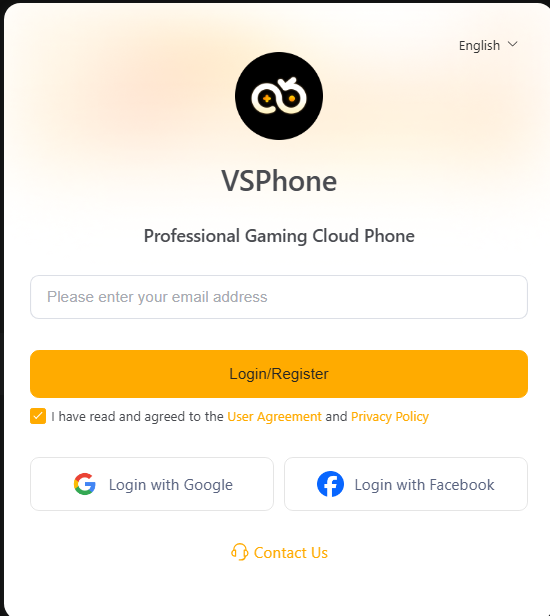
Step 2: Choose Your Device Configuration
On VSPhone, you can select various configurations of physical devices according to your needs. It is recommended to choose SVIP (3-device configuration), ensuring your device has enough performance to handle the graphics and operations of the game, providing a smooth gaming experience.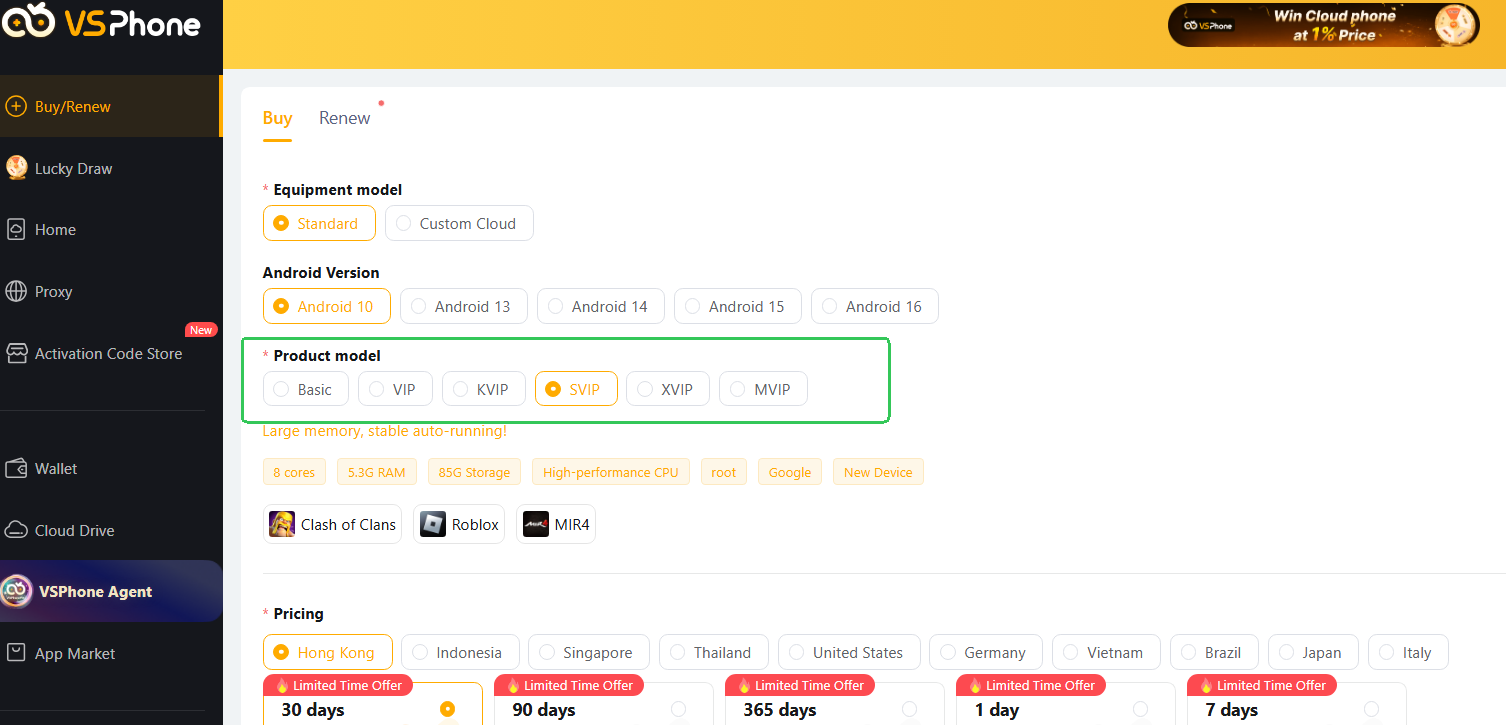
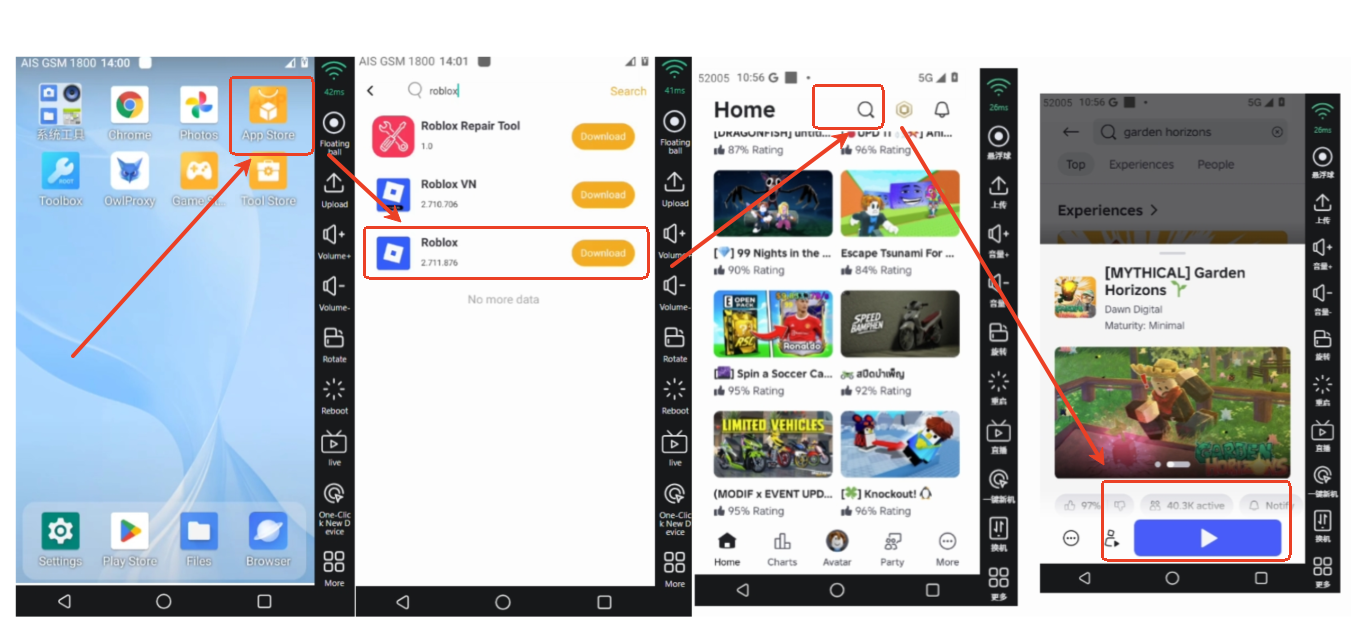
Step 3: Install Garden Horizons
After logging into VSPhone, go to the cloud phone interface, open the App Store or Google Play Store, and search for Garden Horizons. Click on install and wait for the installation to complete. Once finished, you can launch the game.Step 4: Start the Game and Begin Planting
After installation, open Garden Horizons, and you will enter a beautiful garden world. On VSPhone, you can play this game anytime, anywhere, take care of your plants, explore new game areas, complete various challenge tasks, and gradually build your dream garden.
4. Tips to Enhance Your Gaming Experience
Keep Your Device Updated: Ensure your VSPhone cloud phone is updated to the latest version to get the best performance and gaming experience.
Optimize Settings: If you notice any lag in the game, you can adjust the screen clarity settings on the VSPhone cloud phone interface to lower the graphics quality for a more stable performance.
Use Keyboard and Mouse: Using a keyboard and mouse to control the game on the cloud phone will make the controls more convenient and improve precision.
5. Frequently Asked Questions
Q: Which platforms does VSPhone support?
VSPhone supports multiple platforms, including Android, Google Play, iOS, Windows, macOS, and Linux devices, allowing you to play Garden Horizons anytime, anywhere.Q: How can I enable keyboard mapping for playing Garden Horizons on VSPhone?
https://www.vsphone.com/help/how-to-use-wasd-keyboard-mapping.htmlQ: What should I do if I encounter issues while using VSPhone to play the game?
You can contact the VSPhone customer support team at any time, and they will assist you in ensuring your device and gaming experience are optimized.
6. Conclusion
By playing Garden Horizons on VSPhone, you can say goodbye to hardware limitations and enjoy a seamless cloud gaming experience. On the efficient cloud phone platform, you will easily build your garden and experience the fun and challenges within the game. Experience the high-quality services provided by VSPhone and start your gardening adventure today!